
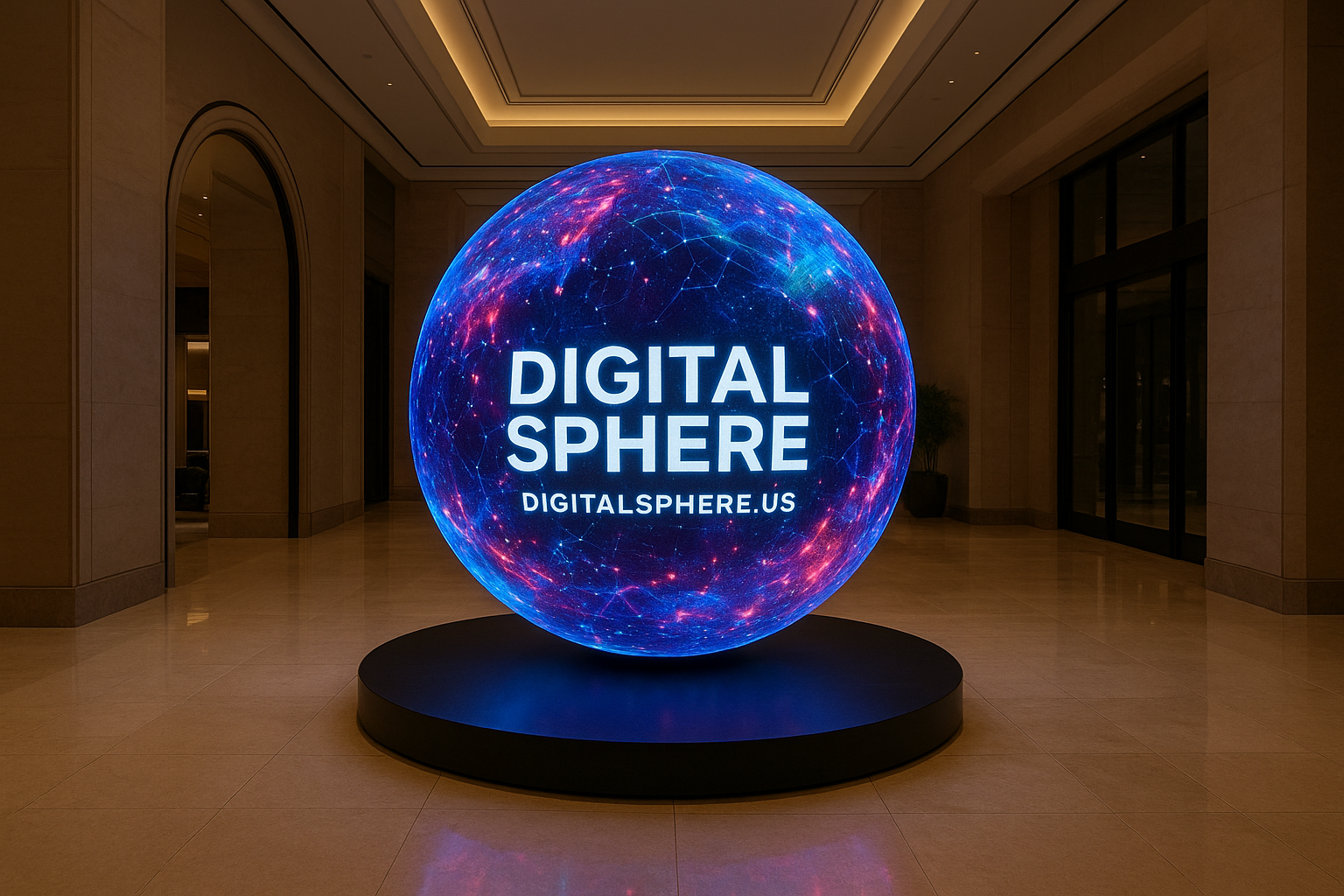
Digital Sphere Installation Guide: Step-by-Step Best Practices for Immersive LED Displays
Transforming your space into an immersive visualization hub starts with a well-planned and expertly executed installation. In this Digital Sphere Installation Guide, you’ll discover step-by-step instructions and professional tips for deploying digital sphere displays, LED spheres, interactive educational spheres, and more. Whether you’re upgrading a museum, enhancing a STEM classroom, or preparing for an event with a rental sphere, this guide ensures your journey from unboxing to going live is smooth and successful.
Why a Digital Sphere? Elevating Experiences with Immersive Visualization
Digital spheres, also known as LED spheres or interactive spheres, provide a mesmerizing 360-degree canvas for storytelling, education, and engagement. From showcasing planetary data and climate models to powering interactive museum exhibits and STEM learning activities, these spherical displays revolutionize how people experience digital content. DigitalSphere.us specializes in crafting tailored digital sphere solutions for museums, events, schools, and science centers.
Preparation: What You Need Before Installing a Digital Sphere
1. Assessing the Installation Environment
- Space Requirements: Ensure adequate clearance around the installation area for maintenance and audience interaction.
- Structural Support: Verify that ceilings, trusses, or platforms can support the combined weight of the sphere and mounting hardware.
- Ambient Lighting Control: Optimal display quality requires adjustable lighting — minimize glare and reflections.
- Accessibility: Plan routing for power, data, and maintenance access.
2. Tools & Equipment Checklist
- Mounting brackets and hardware (provided by DigitalSphere.us)
- Appropriate hand tools (screwdrivers, wrenches, etc.)
- Safety gear (hard hats, gloves, ladders/lifts, harnesses if ceiling mounted)
- Cabling for data and power connections
- Display control computer or integrated processor
Unboxing and Pre-Installation – Safety First!
Digital Sphere Installation Guide tip: Always unbox the digital or LED sphere on a flat, padded surface to avoid accidental damage. Inspect all components for shipping integrity. Review the installation manual and designate a lead technician to manage each step.
Step-by-Step Digital Sphere Installation Guide
Step 1: Assemble Mounting Hardware
- Identify the correct mounting method: suspended, pedestal, wall-arm, or ceiling grid.
- Assemble frame, truss, or brackets per DigitalSphere.us specifications, ensuring level and secure installation.
Step 2: Position and Secure the Sphere
- If using a rental sphere, ensure all rental equipment is accounted for.
- Team lift the digital sphere into position, align with mounting brackets, and secure firmly.
- Double-check all fasteners and supports for stability.
Step 3: Connect Power and Data
- Connect electrical wiring according to provided schematics.
- Route data cables cleanly to avoid interference with mechanical supports.
- Power on the sphere and initial control hardware.
Step 4: System Integration & Calibration
- Install and configure the content management software (CMS).
- Calibrate the display for color balance, brightness, and image mapping accuracy.
- Test sample content (Earth visualizations, educational simulations, or interactive apps).
Step 5: Interactive Features & Accessories
- Integrate sensors, touchless controls, or specialized interfaces if using an interactive sphere.
- Connect network/distributed data systems for real-time content streaming.
- Test educational or experiential content for full 360-degree accuracy.
Step 6: Audience Experience Optimization
- Adjust viewing angles and height for maximum visibility and engagement.
- Install surrounding informational signage or wayfinding as needed.
- Conduct a final safety and performance check.
Post-Installation Best Practices
After your digital sphere is operational, maintain peak performance with regular cleaning (using manufacturer-approved materials), firmware updates, and scheduled calibration. DigitalSphere.us offers ongoing support plans and educational programming to help you maximize your investment.
Popular Use Cases for Digital Sphere Displays
- Museum Visualization Systems: Installations delivering real-time weather, planetary exploration, or climate data.
- STEM Educational Spheres: Hands-on, immersive lessons in classrooms or science centers.
- Event Rental Spheres: Portable, customizable spheres for trade shows, brand activations, or galas.
- Corporate Lobbies and Showrooms: Futuristic displays for corporate messaging and visitor engagement.
Each solution can be adapted and supported by DigitalSphere.us’s dedicated team from concept to post-installation service. For advanced visualization, check out complementary offerings at www.ssidisplays.com.
Digital Sphere Installation Guide – FAQs
- Q: How long does it take to install a digital sphere?
A: Most installations can be completed in one to three days, depending on site complexity, mounting type, and integration needs. - Q: Can DigitalSphere.us spheres be updated with new content?
A: Absolutely! Spheres include software for uploading, scheduling, and updating content remotely. - Q: What maintenance is required?
A: Dusting with lint-free cloths, occasional calibration, and periodic software updates keep your display sharp and reliable. - Q: Is professional installation required?
A: Professional installation is strongly recommended to ensure safety, optimal visual performance, and warranty protection. - Q: Can spheres be moved or re-installed?
A: Yes! Mobile, rental, and modular models are designed for flexible installations and event use.
Conclusion: Power Your Vision with Professional Digital Sphere Installation
Installing a digital sphere may seem complex, but with the right preparation, team, and equipment, your immersive LED sphere display will be captivating audiences in no time. Trust the experts at DigitalSphere.us for top-quality products, turnkey installation, and lifelong support. From educational STEM spheres to interactive museum displays, our solutions lead the industry in reliability, interactivity, and wow factor.
Ready for an Immersive Transformation?
Looking to elevate your institution, event, or classroom with a state-of-the-art digital sphere? Contact DigitalSphere.us today for a consultation, custom design options, or to learn more about our full range of spherical visualization solutions. Experience the future of engagement, learning, and storytelling — all in 360 degrees!
