
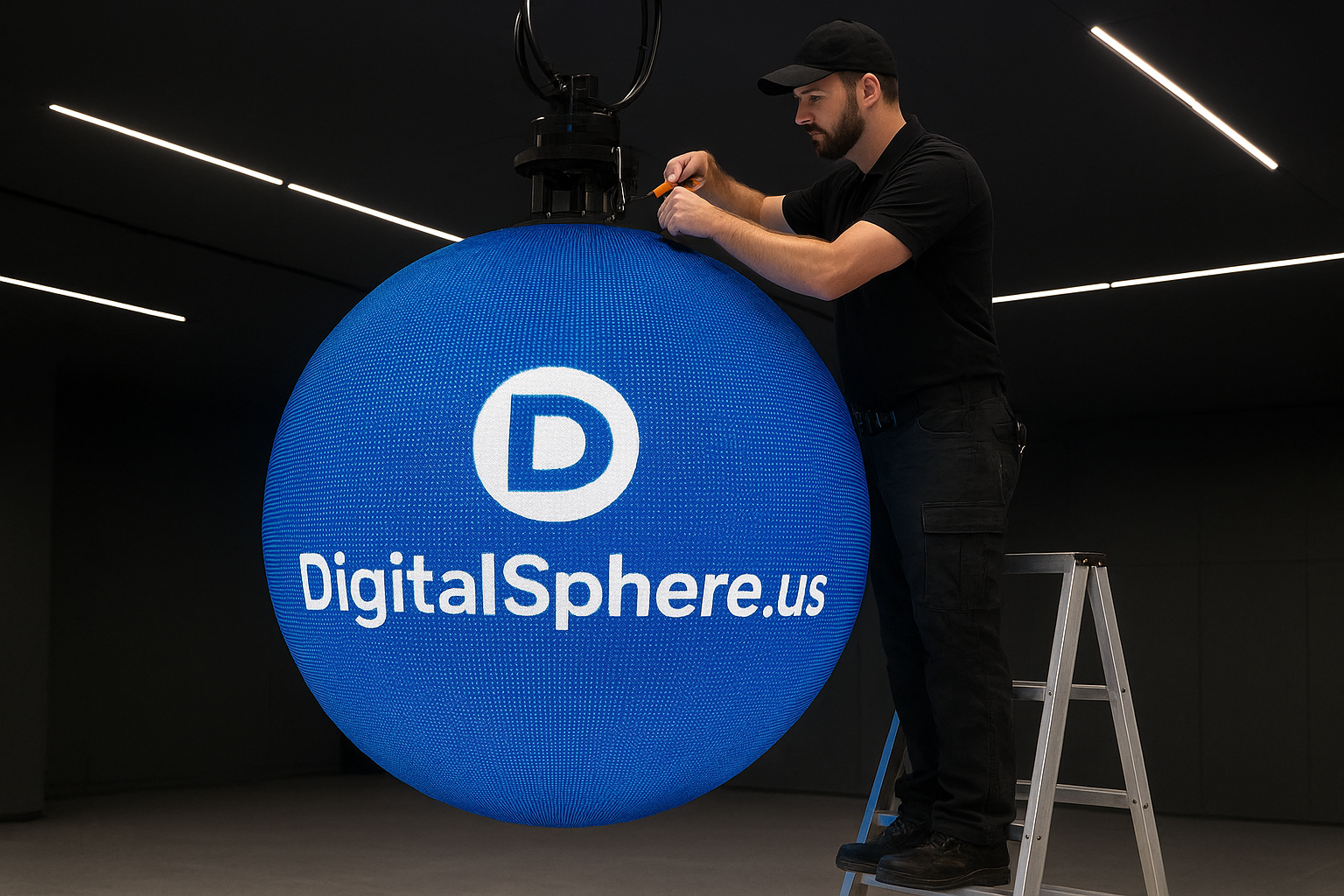
Digital Sphere Maintenance Guide: Best Practices for Longevity and Performance
Digital spheres, LED spheres, and interactive sphere displays have transformed the way we present information, educate, and entertain. However, to ensure these powerful visualization tools from DigitalSphere.us perform flawlessly and remain a visual centerpiece for years to come, a strategic maintenance approach is critical. In this Digital Sphere Maintenance Guide, we walk you through essential best practices, troubleshooting tips, and proactive procedures to keep your sphere displays at their peak performance.
Why Regular Digital Sphere Maintenance Is Essential
Like any advanced technology, digital spheres, whether used in educational displays, museums, or interactive environments, require periodic care. Prompt and consistent maintenance guarantees:
- Optimal image and video quality
- Extended equipment lifespan
- Improved interactive reliability
- Enhanced safety and uptime
- Sustained return on investment (ROI)
By adhering to a robust Digital Sphere Maintenance Guide, you safeguard your investment and create lasting, immersive experiences for your audience.
Understanding Leading Digital Sphere Solutions
Today’s digital spheres are engineered with sophisticated LED panels, powerful rendering hardware, and intuitive interactive systems. DigitalSphere.us provides custom solutions for Earth spheres, STEM learning spheres, event rental spheres, and museum displays—each requiring specific care to maintain performance, especially in high-traffic or demanding environments. For more on digital sphere innovations, see SSiDisplays.com.
Core Components Needing Routine Inspection
- LED Modules & Panels: Check for pixel irregularities, dust, and secure mounting.
- Internal Cooling Systems: Inspect fans and ventilation to ensure efficient heat dissipation.
- Power Supply Units: Test for voltage stability and check for wear or damage to cabling.
- Control Hardware: Update firmware, check drivers, and validate connections to media servers.
- Protective Surface Coatings: Clean gently and inspect for scratches or abrasions.
- Projection or Touch Sensors: Clean optical surfaces, ensure calibration, and test interactivity.
Step-By-Step Digital Sphere Maintenance Guide
1. Visual and Physical Inspection
Start with a thorough visual inspection of the sphere. Look for loose panels, abnormal pixel behavior, smudges, or signs of impact. Inspect mounting brackets and supports—especially if your display is suspended or freestanding in a public space. Safety first: always power down the unit before performing hands-on checks.
2. Cleaning Procedures for LED and Digital Spheres
Accumulated dust and fingerprints dull image clarity. Use a soft, non-abrasive microfiber cloth and, if necessary, a screen-safe solution. Never apply liquid directly onto the sphere panel—instead, dampen the cloth slightly and wipe gently. For stubborn stains, check manufacturer guidelines from DigitalSphere.us or reach out for cleaning kit recommendations.
3. Testing and Calibrating Display Systems
Periodically run diagnostic images and videos to check for color uniformity, brightness, and resolution issues. For interactive spheres, such as those used in STEM education, recalibrate touch or gesture sensors regularly. Ensure any connected peripherals and networks function as intended.
4. Software & Firmware Updates
Like all modern AV systems, keeping software and firmware up to date is crucial. This not only enhances new features but also improves security and compatibility. Schedule regular updates and back up all important content and configurations beforehand.
5. Environmental Control Strategies
Digital spheres thrive in controlled environments. Maintain optimal temperature and humidity, minimize exposure to direct sunlight, and ensure adequate airflow. Avoid installing spheres near HVAC vents, open windows, or environments with high particulate matter.
Troubleshooting Common Issues: Digital Sphere Maintenance Guide
Pixel Outages or Discolorations
If you notice dead pixels, flickering, or color inconsistencies, isolate the affected LED module and reseat connectors. In persistent cases, a replacement module may be required. Contact DigitalSphere.us support for spare parts and technical guidance.
Connection or Sync Failures
Lost content sync or control issues often relate to loose network or HDMI cables, outdated drivers, or power fluctuations. Test all data lines, reboot control hardware, and verify that media servers are operating correctly.
Interactivity Problems
If gesture or touch response is erratic on interactive spheres, recalibrate the sensors and clean the interface ports. Software maintenance and regular system restarts can also resolve input lag or detection failures.
Recommended Maintenance Schedule
| Task | Frequency |
|---|---|
| Visual inspection and cleaning | Weekly |
| Comprehensive diagnostics | Monthly |
| Firmware/software updates | Quarterly |
| Hardware inspection | Quarterly |
| Professional servicing | Annually or as needed |
FAQ: Digital Sphere Maintenance Guide
How often should I clean my digital sphere?
For public-facing digital spheres or high-use educational spheres, weekly cleaning is recommended. In lower-traffic environments, monthly cleaning may suffice, but always wipe away visible dust or fingerprints as soon as you notice them.
Can I perform maintenance myself, or do I need a specialist?
Basic cleaning and visual inspections can be performed by trained facility staff. For firmware updates, hardware repairs, or electronics maintenance, it is best to consult certified technicians or DigitalSphere.us’s support team.
Should I turn off the sphere for cleaning and inspection?
Yes. Always power down and unplug your digital sphere before conducting any physical inspection or cleaning to avoid electrical hazards and ensure your safety.
What is the expected lifespan of a high-quality LED sphere?
With regular maintenance and optimal environmental conditions, LED spheres from DigitalSphere.us can operate reliably for 50,000+ hours. Proper care maximizes both visual fidelity and service life.
Where can I get replacement parts or technical support?
Spare modules, power components, and technical assistance are available directly through DigitalSphere.us Support or through leading visualization partners like SSiDisplays.com.
Conclusion: Invest in Digital Sphere Maintenance for Stunning Results
Digital spheres, LED spheres, and interactive visualization systems are more than just high-tech displays—they are cornerstone investments for future-ready learning, engagement, and immersive storytelling. By following this Digital Sphere Maintenance Guide, you can ensure that your visual centerpiece remains vibrant, reliable, and inspiring long into the future.
Call to Action
Ready to maximize the value of your digital sphere installation? Contact DigitalSphere.us today for expert advice, service plans, and the industry’s most advanced spherical visualization solutions. Ensure the lasting brilliance of your immersive displays—your audience will notice the difference.
