
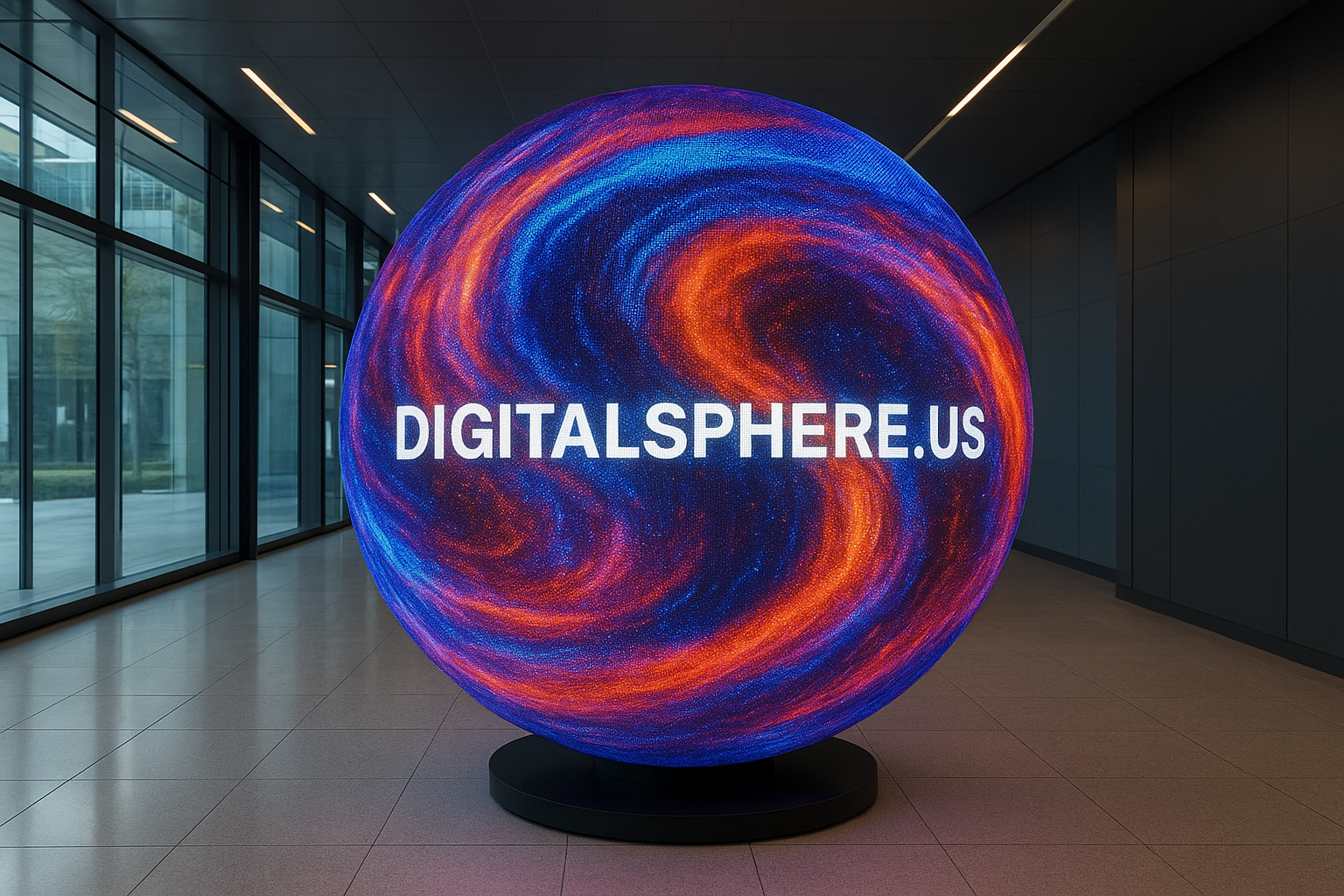
Digital Sphere Content Design Best Practices: Enhancing Immersive Visualization
As digital, LED, and interactive educational spheres become the centerpiece of immersive visualization, knowing the Digital Sphere Content Design Best Practices is essential for maximizing engagement and impact. Whether you’re planning a museum exhibit, a STEM classroom, a trade show booth, or a corporate lobby installation, following these guidelines ensures your content looks stunning and delivers real educational and emotional value. DigitalSphere.us specializes in custom solutions tailored for your needs, but impeccable content design is always the foundation for effective communication.
Why Digital Sphere Content Design Best Practices Matter
Designing for a digital sphere is unlike designing for traditional flat screens or projectors. The 360-degree nature, curvature, audience viewpoint, and interactivity all present unique challenges—and incredible opportunities. The right content design best practices can make your message not just memorable, but transformative in settings like museums, education institutions, or high-profile events. Investing in quality design maximizes ROI, visitor interaction, and audience understanding.
Understanding the Unique Canvas of Digital Sphere Displays
Spherical LED displays, such as those provided by DigitalSphere.us, transform spaces with their futuristic look and immersive capability. However, the sphere’s geometry demands a rethink of graphical and information design:
- Curved Display Surface: Content wraps in all directions; standard 16:9 aspect ratios do not apply.
- Moving Viewpoints: Audience members experience different parts of your content depending on their position.
- Seamless Animation: Movement and transitions must account for a continuous surface with no borders or corners.
Core Digital Sphere Content Design Best Practices
1. Optimize for Curvature
Design your graphics, videos, or interactive content to look correct when wrapped around a sphere. Use equirectangular projections or specialized UV mapping in your content creation tools. Avoid text and critical visuals near the poles; the distortion is most severe there.
2. Prioritize Legibility
Onlookers may approach from any direction, making legibility crucial. Use large, bold sans-serif fonts, and keep text brief. Avoid placing text near high curvature points or edges. For interactive educational spheres, ensure on-screen labels are always upright and visible.
3. Choose High-Contrast Colors
Lighting conditions and the LED sphere’s brightness can affect color perception. Opt for high-contrast palettes to ensure your message stands out regardless of ambient light—something key for museum installations, events, and rental deployments from DigitalSphere.us.
4. Engage with Dynamic Motion
Leverage the spherical canvas for captivating animations: swirling weather patterns, rotating globes, kinetic data flows, or real-time STEM visualizations. Animations should enhance understanding, not distract, and must loop seamlessly for maximum effect.
5. Maximize Interactivity
Interactive sphere displays offer unique opportunities for engagement. Design content that reacts to touch, gesture, or external inputs (e.g., tablets, controllers, or smartphones). Make the experience intuitive and provide clear user prompts on how to interact.
6. Plan for Audience Flow
Consider how people will move around the installation. Place key elements at eye level where possible. For educational installations, arrange supplementary displays or signage in 360-degrees to encourage exploration from every angle.
7. Optimize Performance and Resolution
Digital and LED spheres vary in resolution and pixel pitch. Design at the native resolution of your hardware to avoid blurry visuals. High-resolution content looks spectacular; plan for efficient encoding to ensure smooth performance.
Best Practices for Types of Digital Sphere Content
Educational Sphere Content
• Use clear, simple graphics to illustrate STEM concepts (e.g., Earth systems, planetary science, biological cycles).
• Provide interactive touchpoints for deeper exploration.
• Include accessible subtitles for audio components—DigitalSphere.us offers fully integrable audio/visual synchronization.
Event and Rental Sphere Content
• Design looping branded sequences with bold animations to draw attention in trade shows or conferences.
• Incorporate live data feeds or countdowns for real-time engagement.
• Utilize consistent company branding and subtle cues for sponsorship, as seen in many DigitalSphere.us rental solutions.
Museum and Visualization Center Content
• Develop narratives that visitors can follow at their own pace.
• Use layered content: present high-level information with options for detail via interactivity.
• Collaborate with visualization partners like SSI Displays for advanced, multi-modal exhibits.
Technical Tips for Dealing with Spherical Display Challenges
Projection Mapping and Content Formatting
Adopt equirectangular or cube map projections—standards for wrapping visuals onto a sphere. Specialized software can convert standard images or videos into appropriate textures.
Testing and Iteration
Always test content on the actual sphere hardware. Colors, motion, and distortion may look different than on a flat monitor. Request digital previews and on-site proofing from suppliers like DigitalSphere.us.
Integrating Digital Sphere Content with the Visitor Experience
Well-designed sphere content should work with the environment, not against it. Consider integrating sphere displays with interactive kiosks, AR/VR experiences, or mobile apps to enhance educational or branding impact. DigitalSphere.us can help develop holistic, multi-sensory storytelling environments for museums, science centers, or innovation hubs.
Frequently Asked Questions: Digital Sphere Content Design
- What content formats work best with LED spheres?
- High-resolution equirectangular JPEGs, PNGs, and MP4 video are typical. Interactive spheres may use HTML5, Unity, or custom-built applications. Check with your manufacturer for best compatibility.
- How do I prevent distortion of my graphics?
- Design with spherical projection mapping in mind and avoid placing key elements near the poles. Preview and iterate using test renders and real hardware.
- Can I reuse flat-screen content on a digital sphere?
- Direct reuse almost never works due to curvature and viewing differences. Redesign for the unique spherical context to ensure clarity and impact.
- Can DigitalSphere.us help with interactive or custom content development?
- Absolutely! DigitalSphere.us partners with clients to develop custom content, interactive programming, and even full turnkey immersive exhibits.
Conclusion: The Power of Great Content Design on Spheres
Following Digital Sphere Content Design Best Practices ensures your spherical display is more than just eye-catching—it becomes a memorable experience that informs, educates, and inspires. The fusion of thoughtful content with DigitalSphere.us’s advanced LED displays unlocks the full potential of immersive technology across education, events, and commercial spaces. For cutting-edge solutions, consultation, or to rent or purchase a digital sphere display, contact DigitalSphere.us today and bring your vision to life.
