Category: Uncategorized

  • LED Spheres vs Video Walls: A Comprehensive Guide for Immersive Visualization

    LED Spheres vs Video Walls: A Comprehensive Guide for Immersive Visualization

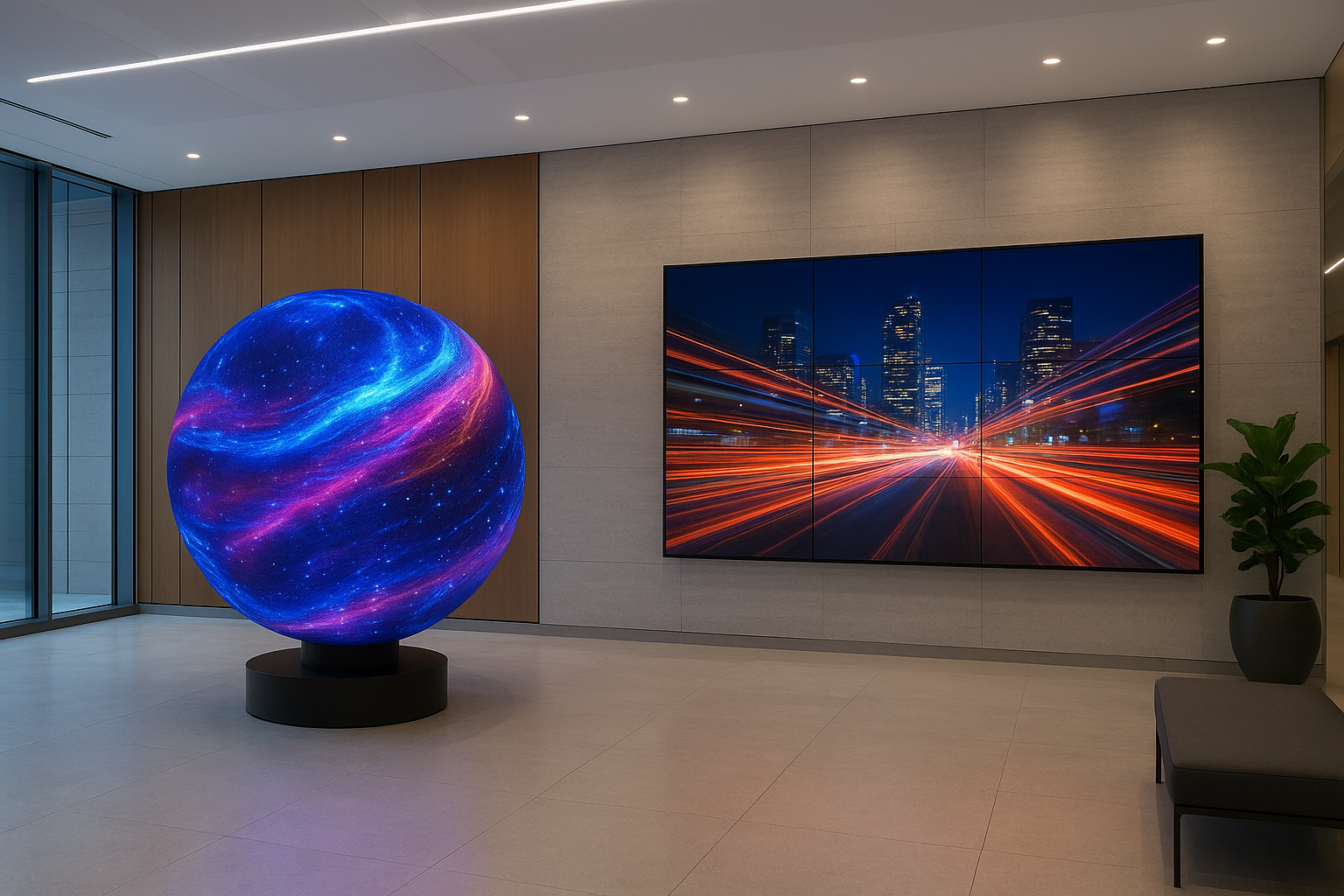
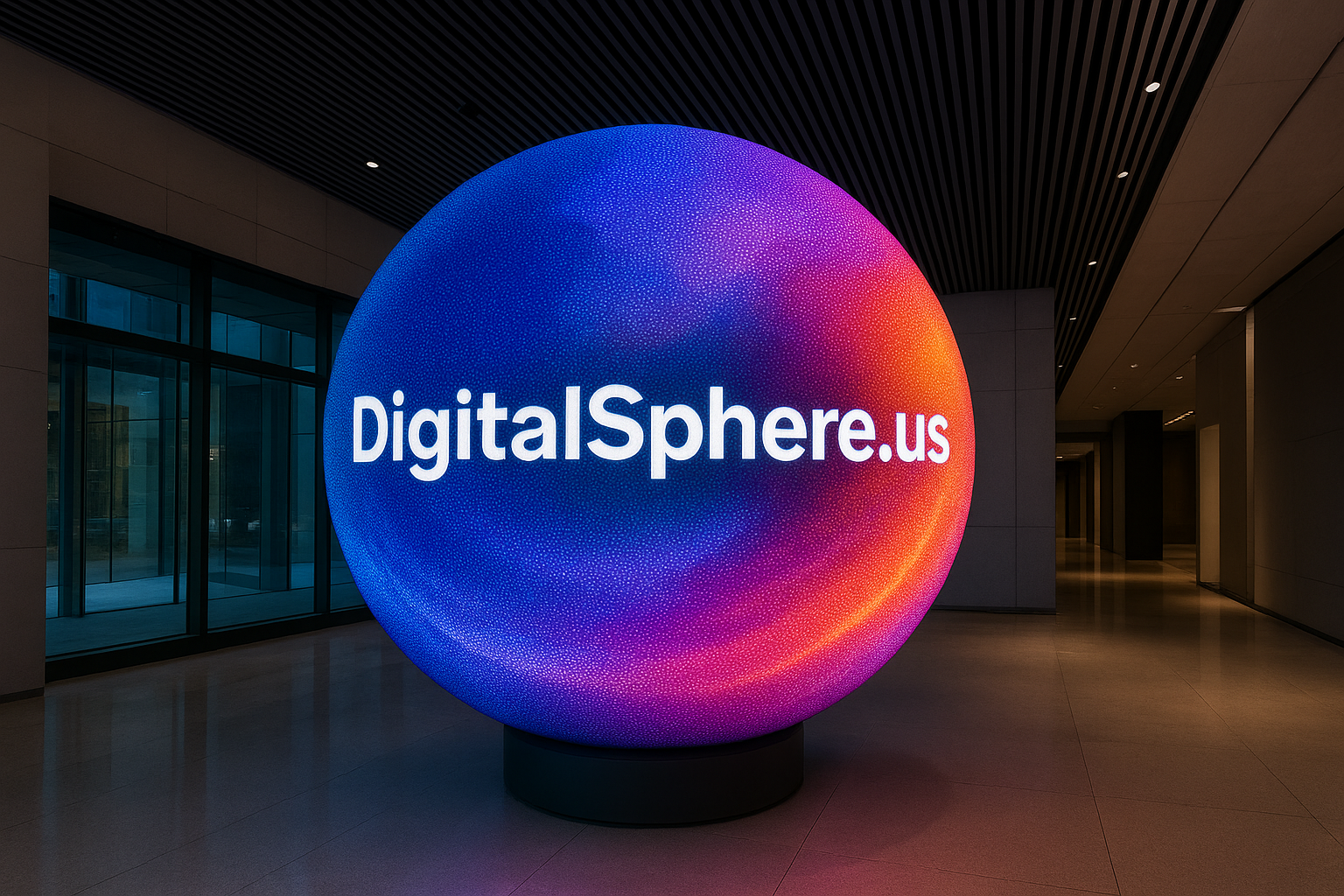
    Modern lobby featuring a DigitalSphere.us LED sphere display alongside a traditional video wall, both showcasing dynamic media.

    LED Spheres vs Video Walls: A Comprehensive Guide for Immersive Visualization

    If you’re considering an impactful digital display for your next event, museum, educational installation, or commercial space, you’ll soon encounter the debate of LED spheres vs video walls. As technology advances, choosing the right immersive visualization solution can transform the way you attract and engage your audience. At DigitalSphere.us, we specialize in innovative, custom-built digital experiences ranging from LED spheres and interactive displays to dynamic event rentals and STEM learning solutions. In this article, we’ll explore the pros and cons of LED spheres and video walls, their unique features and applications, and provide practical tips for selecting the best fit for your needs.

    Understanding LED Spheres and Video Walls

    What Are LED Spheres?

    LED spheres, also referred to as digital spheres or immersive globe displays, are three-dimensional spherical screens composed of densely packed LED modules. These eye-catching structures deliver seamless, 360-degree content views, perfect for geospatial data visualization, interactive educational displays, and architectural landmarks. Popular in museums, science centers, corporate lobbies, event venues, and even planetariums, LED spheres open up a universe of storytelling and engagement opportunities. For example, DigitalSphere.us provides custom LED sphere solutions tailored for both permanent installations and rental events.

    What Are Video Walls?

    Video walls are large-scale displays made by combining multiple flat-panel screens—usually LCD or LED panels—into a single, expansive rectangular surface. Video walls are commonly used for business presentations, control rooms, digital signage, entertainment, and public art installations. With high resolution and scalability, they are ideal for detailed content, branding, and interactive experiences—although within a traditional two-dimensional layout.

    Key Differences: LED Spheres vs Video Walls

    1. Visual Impact and Immersiveness

    • LED Spheres: Offer stunning 360° visibility, allowing audiences to walk around and experience content dynamically. The spherical shape fosters curiosity and draws viewers in from all angles, making them ideal for showcasing global data, space imagery, and immersive animations.
    • Video Walls: Command attention with size and clarity, but the flat surface limits the experience to a single or segmented perspective. While video walls do provide excellent visual quality, they lack the novelty of a three-dimensional canvas.

    2. Applications and Use Cases

    • LED Spheres: Widely used for Earth and planetary displays, STEM learning, science centers, interactive museum exhibits, trade shows, and premium retail environments. For example, DigitalSphere.us creates custom educational spheres, interactive globe rentals, and immersive displays designed to inspire and educate.
    • Video Walls: Common in corporate settings, retail environments, airports, control rooms, and sports arenas for presentations, advertising, real-time information, and media-rich experiences.

    3. Content Flexibility

    • LED Spheres: Ideal for displaying dynamic data, global phenomena, atmospheric models, and interactive 3D content. They require content specifically mapped to the sphere, creating captivating experiences.
    • Video Walls: Support a broader range of traditional video content, slides, widgets, and real-time feeds without complex mapping but are limited to 2D interaction.

    4. Installation and Footprint

    • LED Spheres: Require a suspended or pedestal installation, making them a focal point in open spaces. Their physical presence can be both an advantage and a limitation depending on available space and ceiling height.
    • Video Walls: Versatile mounting (wall-mounted, free-standing, curved) and scalable to fit the dimensions of the area. They can be designed to blend seamlessly into existing architecture.

    5. Interactivity and Engagement

    • LED Spheres: Often equipped with touchscreen controls, gesture sensors, or mobile device integration for interactive educational spheres and event experiences. For instance, DigitalSphere.us can develop custom content for hands-on, interactive globe displays.
    • Video Walls: Can be made interactive through touch panels, motion detection, or external devices, but the interaction typically occurs on a flat surface.

    Comparing Cost, Maintenance, and Longevity

    Initial Investment

    LED spheres typically involve a higher upfront cost due to their complex engineering, spherical LED modules, and content customization. However, they provide a dramatic visual statement and unique branding value. Video walls, especially those using LCD panels, are generally more budget-friendly initially, but costs increase for larger sizes or seamless, bezel-free displays.

    Ongoing Maintenance

    Both LED spheres and video walls require regular maintenance to ensure optimal performance. LED spheres may need specialized servicing due to their structure and custom components, while video walls demand calibration and the occasional panel replacement. Choosing a reliable provider—like DigitalSphere.us for digital spheres or industry leaders like SSIdisplays.com for video wall solutions—will ensure long-term success.

    Durability and Lifespan

    Quality LED spheres are built to last, using high-end LEDs with lifespans exceeding 50,000 hours. Video walls offer comparable longevity, although LCD-based panels may eventually show aging or burn-in effects. LED-based video walls bridge this gap with enhanced durability.

    Choosing the Right Solution

    When to Choose an LED Sphere

    • You want to create an unforgettable visual centerpiece or landmark.
    • You require immersive, multi-angle content for education, science, or brand storytelling.
    • You’re designing a museum, research center, or event needing interactivity and innovation.
    • You value collaboration with experts in spherical content and hardware, such as DigitalSphere.us.

    When to Choose a Video Wall

    • You need a scalable, high-resolution display for presentations, advertising, or real-time information.
    • You have limited floor or ceiling space for a 3D installation.
    • Your content is primarily two-dimensional and frequently updated.
    • You want to take advantage of cost-effective, modular display options.

    Integrating Both Technologies

    For some venues, combining an LED sphere with a video wall delivers the best of both worlds—simultaneously offering immersive educational storytelling and practical information sharing. DigitalSphere.us has experience in multi-modal installations, collaborating on everything from interactive spheres to supplemental video wall environments.

    Frequently Asked Questions: LED Spheres vs Video Walls

    Are LED spheres suitable for outdoor use?

    Yes! Many modern LED spheres are engineered for both indoor and outdoor use, with weatherproof enclosures and brightness adjustments. Ask DigitalSphere.us about custom options for your specific conditions.

    Can video walls display real-time data like weather or traffic?

    Absolutely. Video walls excel at broadcasting real-time feeds, dashboards, and live data streams. For interactive, location-based data, LED spheres may provide a more immersive experience.

    What kinds of content work best on an LED sphere?

    Geospatial visuals, animations, science topics, global phenomena, and branded interactive experiences are ideal for LED spheres. If you need content mapping or interactive features, DigitalSphere.us can help you design and deliver the most engaging presentation.

    How difficult is it to update content on these displays?

    Both technologies offer remote content management. LED spheres require spherical mapping software, while video walls use standard media players or network distribution systems. DigitalSphere.us provides ongoing content support for all our installations.

    Where can I find more information on related technologies?

    For additional insights on display options, check out SSIdisplays.com, a reputable source for multi-surface and video wall solutions.

    Conclusion

    When weighing LED spheres vs video walls, consider not only the visual impact, application, and cost, but also the unique experience you want your audience to remember. LED spheres stand out for their wow-factor, educational value, and ability to turn any environment into an interactive learning space. Video walls are unbeatable for clarity, scalability, and delivering timely information in high-traffic settings.

    Ready to create a striking, immersive display for your business, museum, or event? Contact DigitalSphere.us for a consultation on custom LED spheres, educational sphere displays, rental options, and more. From concept to installation, our team guides you every step of the way to ensure your visualization solution is as unique as your vision.
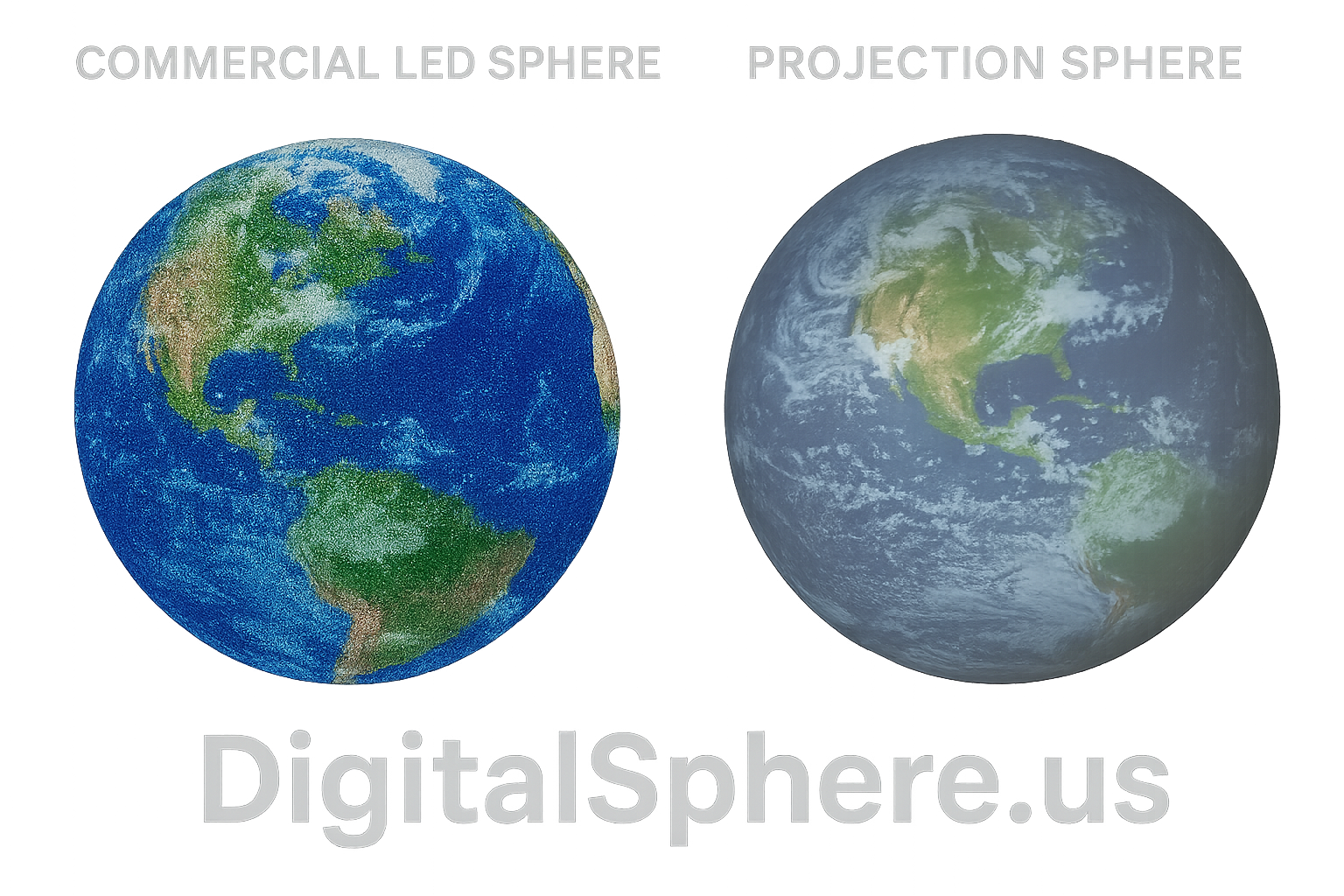
  • LED Spheres vs Projection Spheres: The Ultimate Guide for Immersive Displays

    LED Spheres vs Projection Spheres: The Ultimate Guide for Immersive Displays

    Commercially installed LED sphere vs projection sphere comparison with DigitalSphere.us branding

    LED Spheres vs Projection Spheres: The Ultimate Guide for Immersive Displays

    In the rapidly evolving world of immersive visualization, the debate of LED spheres vs projection spheres is at the forefront for museums, educational institutes, event organizers, and corporations seeking to engage audiences with captivating digital displays. Both technologies offer exceptional ways to present STEM content, real-time data, and beautiful imagery, but which is right for your application? This comprehensive guide breaks down the differences and helps you discover the best solution for your needs, with expert insight from DigitalSphere.us.

    Understanding Digital Spheres

    Digital spheres are advanced visualization tools that present content on a 3D, spherical display. These dynamic globes are ideal for bringing planetarium-style experiences to classrooms, museums, science centers, and high-end events. They can showcase everything from Earth sciences and astronomy to branded corporate content—offering viewers an immersive, interactive window into worlds of data and artistry.

    LED Spheres vs Projection Spheres: Core Differences

    While both LED spheres and projection spheres provide spherical displays, their fundamentals are quite different:

    • LED Spheres: Use thousands of individual LEDs mounted directly on a spherical surface to create imagery.
    • Projection Spheres: Use one or more high-resolution projectors to cast images onto a sphere, typically coated with a matte, light-reflective surface.

    Visual Clarity & Brightness

    One of the most noticeable differences between LED spheres and projection spheres is brightness and clarity:

    • LED Spheres are extremely bright and vibrant, supporting vivid colors even in well-lit environments. Their direct-emission technology ensures images ‘pop’ from any angle. This makes them ideal for commercial spaces, event halls, and lobby installations.
    • Projection Spheres typically require lower ambient light to avoid washed-out images. While recent advances in projector technology allow for brighter displays, direct sunlight or strong indoor lighting can lessen image quality.

    Resolution & Pixel Density

    LED Spheres achieve higher resolutions as LED manufacturing advances, but may still show slight pixelation up close, depending on ‘pitch’ (distance between LEDs). Projection Spheres can provide extremely smooth visuals, especially with high-resolution projectors, and do not suffer from visible pixelation as long as the projection alignment is expertly managed.

    Interactivity and Content Flexibility

    Both LED and projection spheres can deliver interactive experiences, integrating with touch technology, gesture controls, or mobile devices. DigitalSphere.us interactive sphere displays lead the industry in bringing hands-on engagement to museum exhibits and educational environments.

    Advantages of LED Spheres

    • High Brightness: Perfect visibility in brightly-lit settings.
    • Long Life Span: Modern LEDs can last 50,000+ hours.
    • Uniform Picture: No ‘hotspots’ or projector shadows.
    • Seamless Integration: Sleek for architectural applications, atriums, or event centers.
    • Low Maintenance: Fewer moving parts, no lamp replacements.

    Commercial event organizers and corporate lobbies often choose LED sphere displays for maximum impact and 24/7 operation.

    Advantages of Projection Spheres

    • High Resolution: Ultra-smooth visuals for close viewing and educational detail.
    • Flexible Sizes: Projection spheres can be manufactured in a wide range of sizes to fit tight budgets or unique spaces.
    • Lightweight Design: Spheres can be built with less internal structure, making them ideal for portable and rental solutions.
    • Lower Initial Cost: Especially at smaller sizes, projection spheres can be less expensive to implement.

    Projection technology is often found in classrooms, rental spheres, and museum installations where light can be controlled and budget is a key factor.

    Applications: Where Does Each Shine?

    Museums & Science Centers

    LED spheres are favored by high-traffic public spaces and science centers for their robustness and ability to perform day and night. Projection spheres excel in planetariums and learning labs where educators can control the environment and maximize detail.

    Educational Institutions & STEM Learning

    Educational spheres powered by either technology bring real-time data and interactive STEM visualizations to life. Your choice may depend on room lighting, desired interactivity, and portability.

    Event Rentals & Corporate Branding

    LED spheres deliver maximum wow-factor in trade shows, product launches, and branded environments. Rental spheres created with projection offer economical, temporary solutions and fast setup for traveling exhibitions.

    Cutting-Edge Visualization and Custom Solutions

    For museums or research centers requiring custom digital sphere solutions, DigitalSphere.us works closely to deliver tailored spheres, immersive interactive content, and seamless system integration, whether you prefer LED or projection technology.

    FAQ: LED Spheres vs Projection Spheres

    • Q: Which technology is more durable?

      A: LED spheres tend to be more rugged for long-term, high-use installations, while projection spheres are best for controlled, lower-impact environments.
    • Q: Are projection spheres suitable for outdoor use?

      A: Typically, no—projectors and surfaces are sensitive to weather and sunlight. LED spheres are more versatile for outdoor/atrium use.
    • Q: Which is more cost-effective?

      A: Projection spheres are generally more affordable upfront, especially for small to medium sizes. However, for large-format, high-visibility displays, LED spheres can provide better value over the lifespan.
    • Q: Can both spheres show interactive 3D content?

      A: Absolutely. Both can be equipped with advanced interactivity systems, and DigitalSphere.us offers turnkey solutions for each.
    • Q: Where can I see examples of these technologies in action?

      A: Visit DigitalSphere.us and SSIDisplays.com to view real-world installations and success stories.

    Explore Related Immersive Technologies

    Conclusion: Choosing the Right Sphere for Your Needs

    Deciding between LED spheres vs projection spheres comes down to your unique application, location, and audience needs. For facilities demanding high brightness and 24/7 durability, LED spheres are the go-to. For educational, budget-conscious environments with controllable lighting, projection spheres shine. The good news? DigitalSphere.us offers both, and can help you customize the perfect immersive solution tailored to your content and audience.

    Ready to Transform Your Space?

    Whether you want to rent a digital sphere for an upcoming event, deploy a permanent educational centerpiece, or explore the latest in immersive STEM visualization, DigitalSphere.us is your partner for innovation. Contact us today to schedule a free consultation or to see our immersive displays in action. For even more display options and industry insight, visit SSIDisplays.com.

  • Digital Sphere Pixel Pitch Explained: Your Guide to Crystal-Clear Spherical Displays

    Digital Sphere Pixel Pitch Explained: Your Guide to Crystal-Clear Spherical Displays

    LED digital sphere display showcasing fine pixel pitch in a modern commercial space with DigitalSphere.us branding

    Digital Sphere Pixel Pitch Explained: Your Guide to Crystal-Clear Spherical Displays

    When it comes to immersive visualization technologies, nothing captivates audiences like a high-definition digital sphere. But what makes some LED spheres look strikingly crisp while others appear pixelated? The answer boils down to one technical factor: pixel pitch. In this article, Digital Sphere Pixel Pitch Explained, we’ll break down what pixel pitch means, why it matters, and how to select the right digital sphere for your intended use—whether it’s for events, museums, science centers, or educational STEM learning.

    What Is Pixel Pitch and Why Does It Matter?

    Pixel pitch is a term used to describe the distance (usually measured in millimeters) between the center of one LED pixel to the center of the adjacent pixel on a display. In digital spheres and LED sphere displays, pixel pitch determines the density of the pixels—essentially, it’s the measure of how tightly packed the LEDs are on the surface of the sphere.

    The smaller the pixel pitch, the closer the pixels are together, and the higher the resolution of your sphere display. This translates directly into image clarity: a sphere with a fine pixel pitch produces stunning visuals, even when viewed from a close distance, while a larger pixel pitch works best in larger venues where viewers stand back from the display.

    Digital Sphere Pixel Pitch Explained: Key to Stunning Spherical Displays

    Understanding pixel pitch for digital spheres is crucial, especially as these technologies become centerpieces for museum installations, planetariums, trade shows, and educational environments. The pixel pitch you choose determines how effective and immersive your content will be.

    For instance, if your digital sphere is meant for close-up interaction—such as touch-enabled learning experiences—you’ll need a smaller pixel pitch to prevent viewers from seeing the gaps between pixels. On the other hand, a more prominent sphere used for overhead or stage environments can adopt a larger pixel pitch for cost efficiency while maintaining clear visuals from a distance.

    Common Pixel Pitch Options for Digital Spheres

    • High-Resolution (Fine Pitch) Spheres (1.5mm – 2.5mm): Ideal for interactive exhibits, educational settings, and museum spheres where viewers are close and clarity is paramount.
    • Standard-Resolution Spheres (2.5mm – 4mm): Perfect for larger venues or events where visibility is key, but viewers are at least 10 feet away from the surface.
    • Large-Scale Viewing (4mm+): Best for grand commercial displays, auditoriums, or event rental spheres where cost and size are balanced, and audience distance is significant.

    How Pixel Pitch Affects Visual Quality

    Pixel pitch has a direct impact on how content is perceived. Here’s a breakdown of its implications:

    • Smaller Pixel Pitch: Higher pixel density, smoother images, vibrant color gradients, ideal for detailed educational content, high-end museum displays, and close-range viewing.
    • Larger Pixel Pitch: Lower pixel density, potential “screen door” effect at close distances, more budget-friendly for large formats and far-viewing environments.

    Choosing the Right Pixel Pitch for Your Application

    When selecting an LED sphere for your project, consider these factors:

    1. Viewing Distance: How close will your audience be? Close-up STEM or museum interactives need finer pixel pitch.
    2. Content Type: Highly detailed visuals—like earth science simulations or live data—benefit from smaller pixel pitch. General graphics or bold branding for events can use larger pixel pitches.
    3. Budget and Size: Fine pitch comes at a premium; for oversized displays or temporary installations, a slightly larger pixel pitch delivers cost savings with great impact.

    DigitalSphere.us Solutions: Bringing Clarity to Every Display

    At DigitalSphere.us, we specialize in tailoring digital sphere solutions to your needs. Whether it’s a permanent educational sphere for a university, a jaw-dropping rental sphere for your next corporate event, or an interactive Earth sphere for science outreach, our consultants will help you choose the right pixel pitch based on your goals and space.

    We also offer fully custom LED sphere displays with seamless integration into exhibit spaces, lobbies, and classrooms. Every project starts with an evaluation of viewing distance, environment lighting, and desired content.

    Related Resource: Spherical Display Manufacturing

    Looking for more on custom spherical display solutions? Explore additional technical resources at SSIDisplays.com, an industry leader in advanced visualization hardware and fabrication.

    Applications of Fine Pixel Pitch Spheres

    • Science Centers and Museums: Accurate earth data visualization, interactive climate change content, 3D astronomy models.
    • Event Rental Spheres: Brand activations, product launches, immersive marketing, trade show booths with ultra-crisp graphics.
    • Educational Spheres: STEM learning, outreach, spherical video learning tools with touch or gesture interactivity.
    • Corporate and Retail: Eye-catching lobby features, data-driven presentations, or retail environments seeking experiential engagement.

    Case Study: High-Resolution LED Sphere at a Technology Conference

    One of our clients, a leading tech company, selected a 1.9mm pixel pitch digital sphere for its annual innovation summit. With over 1,000 attendees interacting with up-to-the-minute global data, the fine pitch ensured every infographic, animation, and video played crisply—leaving a lasting impression and encouraging unforgettable engagement.

    Frequently Asked Questions: Digital Sphere Pixel Pitch Explained

    What is the optimal pixel pitch for a digital sphere used in a museum?
    For museum displays where visitors view content up close, we recommend a pixel pitch between 1.5mm and 2.5mm. This delivers exceptional clarity for educational and scientific visualization.
    Can I rent a digital sphere with custom pixel pitch for my event?
    Absolutely! DigitalSphere.us provides rental spheres in various pixel pitches to meet the needs of any venue or audience size.
    How does pixel pitch affect viewing distance?
    Smaller pixel pitch is best for close-up viewing, while larger pixel pitch is ideal for far-viewing applications. The closer the audience, the finer the pixel pitch required for seamless visuals.
    Are fine pixel pitch LED spheres more expensive?
    Yes, higher pixel density requires more LEDs and advanced manufacturing, increasing the cost. However, the investment yields unparalleled image quality, vital for flagship installations.
    Who can advise me on choosing the correct pixel pitch?
    The experts at DigitalSphere.us are ready to consult with you and recommend the best solution for your goals and budget.

    Conclusion: Make the Most of Your Investment with the Right Pixel Pitch

    Choosing the correct pixel pitch is the cornerstone of creating impactful, immersive digital sphere displays. Whether for a permanent museum exhibit, educational STEM installation, or attention-grabbing event rental sphere, understanding pixel pitch empowers you to match technology with your vision.

    Ready to design a stunning, crystal-clear digital sphere for your next project? Contact DigitalSphere.us today for a free consultation and discover how our display solutions can transform your space.

  • Digital Sphere Resolution Explained: Unlocking the Power of Spherical Displays

    Digital Sphere Resolution Explained: Unlocking the Power of Spherical Displays

    LED digital sphere display showcasing high resolution visuals in a modern commercial environment with DigitalSphere.us branding

    Digital Sphere Resolution Explained: Unlocking the Power of Spherical Displays

    As immersive technology revolutionizes visual experiences in museums, STEM classrooms, and commercial installations, Digital Sphere Resolution Explained has become a hot topic for anyone seeking innovation. From LED spheres at tech expos to interactive Earth globes for education, understanding digital sphere resolution can make all the difference in delivering stunning content. In this article, we’ll demystify spherical resolution, explore what defines clarity on curved displays, and help you choose the best solution for your space.

    What is Digital Sphere Resolution?

    Most people are familiar with resolution in flat screens—think 4K TVs or HD monitors, where pixel count is easy to calculate (width x height). But when we talk about digital spheres, resolution gets more complex. Instead of a grid, image data must wrap flawlessly around a sphere, requiring specialized hardware and software to avoid distortion or seams.

    Resolution on digital spheres refers to the number of discrete LED nodes, LCD pixels, or projector dots that span the curved surface horizontally and vertically. The higher the resolution, the more detailed, crisp, and lifelike your visuals appear—crucial for everything from realistic planetary data at science centers to captivating digital art in commercial settings.

    Why Digital Sphere Resolution Matters

    Imagine displaying satellite imagery of Earth or high-resolution branded content—a higher resolution sphere can render complex visuals sharply, reveal intricate data, and create unforgettable engagement. Low-resolution spheres might appear pixelated, losing vital details and diminishing impact.

    • Educational Spheres: Crisp visuals allow students to explore planetary systems, weather, or biology in immersive 3D, making complex science accessible.
    • LED Rental Spheres: High-res displays draw crowds at trade shows and events, making your installation stand out.
    • Commercial and Museum Spheres: Vivid, lifelike imagery elevates ambiance or storytelling, distinguishing your brand or exhibit.

    How is Sphere Resolution Measured?

    Unlike rectangular screens, digital spheres require a different resolution approach, often stated as “latitude x longitude” (circular reference points), total pixel/LED count, or pixel pitch for LED models.

    1. Latitude x Longitude

    This metric counts how many vertical and horizontal lines of pixels or LEDs wrap the sphere—think of it as how many slices (longitude) and belts (latitude) make up the ball. For example, a common sphere might be specified as 512×256 nodes (longitude x latitude).

    2. Total Pixel/LED Count

    Some manufacturers advertise the total number of pixels or LEDs—just like a megapixel rating for cameras. More nodes mean smoother imagery.

    3. Pixel Pitch (for LED Spheres)

    Pixel pitch is the distance (in millimeters) between the centers of adjacent LEDs. A smaller pixel pitch means higher resolution and more seamless images—critical for close-up installations in museums or retail.

    Comparing Digital Sphere Resolutions: What’s Right for You?

    Choosing the right sphere resolution depends on your application, viewing distance, and content fidelity requirements. Here’s how common sphere resolutions serve different needs:

    Sphere Size Common Resolution Best For
    20″–30″ (portable) 128×96 or 192×144 STEM classrooms, hands-on demos
    36″–48″ (mid-size) 256×192 or 384×288 Museums, interactive lobbies
    60″+ (large) 512×256, 1024×512+ Planetariums, grand entryways, large events

    Higher resolutions are recommended for large installations or spaces where visitors can get close to the sphere. For portable or smaller displays, slightly lower resolution still delivers strong performance for most educational uses.

    DigitalSphere.us Solutions: Tailored Spherical Resolution

    At DigitalSphere.us, we custom-build digital sphere displays offering resolutions tailored for every application, from small educational globes to grand LED rental spheres for conventions. If you’re not sure which specification best suits your vision, our experts help assess site conditions, content requirements, and budget to deliver the optimal solution.

    All DigitalSphere.us systems are engineered for vivid imagery, seamless data wrapping, and robust interactivity—ideal for museums, STEM initiatives, planetary education, and brand experiences.

    How Digital Spheres Handle Resolution Challenges

    Mapping 2D content onto a sphere isn’t trivial. Here’s how top-tier vendors like DigitalSphere.us and trusted partners such as SSi Displays address these challenges:

    • Advanced Software Algorithms: Correct for latitude/longitude distortion, ensuring even intricate details appear consistent from all angles
    • High-Quality LED/LCD Components: Enable uniform brightness and color balance for lifelike visuals
    • Precision Manufacturing: Guarantees perfect alignment and minimal seams

    Whether you need a 360° interactive globe for a museum or a giant LED sphere for a sports arena, expert configuration ensures your content looks perfect – not stretched or skewed.

    Content Creation: Making the Most of Your Digital Sphere Resolution

    To truly harness your sphere’s capabilities, content needs to be optimized for spherical projection. This often means using equirectangular or fisheye maps, and accounting for pixel density at the poles vs. the equator. Top content creators and integrators collaborate with DigitalSphere.us so visuals pop no matter where visitors stand.

    Best Practices Include:

    • Designing graphics at native sphere resolution
    • Ensuring critical information isn’t lost at seams or poles
    • Using high-contrast, saturated colors for LED visibility in bright spaces
    • Testing content from multiple vantages before launch

    Check out further insights and solutions for content optimization at SSi Displays.

    FAQ: Digital Sphere Resolution Explained

    Q1: What’s the best resolution for an educational sphere?
    A: For school and museum use, typically a 256×192 or higher node count provides excellent balance between cost and clarity. DigitalSphere.us offers models optimized for STEM applications.
    Q2: Can content made for flat screens be used on spheres?
    A: Not directly—content needs to be re-mapped or created in equirectangular format to display without distortion. Our team helps adapt or design original visualizations for maximum impact.
    Q3: Does higher resolution always mean a better digital sphere?
    A: While high resolution yields sharper images, factors like LED quality, color depth, and software make just as much difference. We recommend a balanced approach based on viewing distance and content.
    Q4: Are digital spheres only for large museums?
    A: Not at all! Today’s technology supports portable and mid-size spheres for classrooms, events, universities, and even retail. DigitalSphere.us customizes solutions from desktop to massive event installations.
    Q5: Where can I see examples or ask about custom resolutions?
    A: Visit DigitalSphere.us or browse installations at SSi Displays for real-world examples and inspiration.

    Conclusion: Choose the Right Digital Sphere Resolution for Your Vision

    Understanding digital sphere resolution is the key to creating compelling, immersive installations—whether stunning Earth spheres for public science, dazzling LED spheres for events, or interactive STEM displays that turn learning into adventure. By partnering with an experienced provider, you unlock the full power of high-fidelity spherical displays—tailored for your space, your audience, and your story.

    Ready to elevate your project with a custom digital sphere display? Explore solution options, design support, and expert guidance at DigitalSphere.us. Let us help you bring your vision to life—because remarkable experiences deserve remarkable clarity.

  • Digital Sphere Display Technologies Compared: Choosing the Right Solution for Immersive Visualization

    Digital Sphere Display Technologies Compared: Choosing the Right Solution for Immersive Visualization

    Commercial installation of an LED digital sphere with DigitalSphere.us branding in a museum environment

    Digital Sphere Display Technologies Compared: Choosing the Right Solution for Immersive Visualization

    When it comes to creating captivating, 360-degree visual experiences, nothing captures the imagination quite like a digital sphere display. In this comprehensive guide, Digital Sphere Display Technologies Compared, we’ll explore the innovative options available—from LED spheres and projection globes to interactive displays—so you can choose the perfect solution for your museum, education center, event, or commercial venue.

    Introduction: The Rise of Digital Spheres in Modern Visualization

    Digital spheres have transformed the way we visualize complex information, tell compelling stories, and engage audiences. Their immersive, globe-like formats offer unique perspectives on Earth science, space, data visualization, and art. As technologies advance, so do the possibilities for custom digital sphere displays in settings ranging from STEM classrooms to event venues and science museums.

    Digital Sphere Display Technologies Compared: The Main Categories

    1. LED Sphere Displays

    LED spheres are cutting-edge spherical displays constructed from thousands of high-brightness LEDs. Known for their vivid color, energy efficiency, and seamless 360-degree visuals, they deliver an outstanding visual spectacle in any lighting condition. These displays are ideal for:

    • Large public installations
    • Branded environments and retail experiences
    • High-impact event displays
    • Museum feature exhibits

    Advantages:

    • High brightness and stunning color reproduction
    • Excellent for both indoor and outdoor use
    • Scalable sizing from small to enormous diameters
    • Interactive options available

    Considerations: LED spheres are generally more costly than projection spheres, but offer far superior visual quality and versatility.

    2. Projected Globe Displays

    Projected globe displays, also called projection spheres, use high-resolution projectors to beam content onto a specially coated spherical surface. This approach is commonly found in educational settings and science museums, where detailed planetary, weather, or data visualizations are needed.

    • Ideal for informative, data-driven exhibits
    • Flexible content updates and easy software integration
    • Cost-effective for medium to large installations

    Advantages:

    • Lower upfront cost
    • Excellent image fidelity in controlled lighting
    • Lightweight, easy-to-install sphere shells
    • Supports high-resolution, scientific content

    Considerations: Projection spheres require controlled lighting to deliver optimal quality and are less suited to high-brightness areas.

    3. Interactive Digital Sphere Displays

    Bringing interactivity to the immersive sphere format enables users to control, rotate, and manipulate content via touchscreens or gesture controls. Interactive digital spheres are ideal for STEM learning, hands-on exhibits, and dynamic art installations.

    • Perfect for educational classrooms
    • Engage visitors with real-time exploration
    • Customizable for any user journey

    Advantages:

    • Highly engaging, supports collaborative learning
    • Flexible for any curriculum or exhibit
    • Compatible with both LED and projection technologies

    Considerations: Interactivity adds complexity and cost but dramatically enhances visitor engagement and learning outcomes.

    Comparative Table of Digital Sphere Display Technologies

    Technology Visual Quality Best For Interactivity Environment Suitability Cost Range
    LED Sphere Ultra-high, bright Events, museums, retail Available Any (indoor/outdoor) High
    Projected Globe High, ambient dependent Education, science, museums Available Dimly-lit/controlled Medium
    Interactive Sphere High (LED/projected) STEM education, exhibits Yes (core feature) Any Medium-High
    Rental Sphere Varies (LED/projected) Events, trade shows Available Temporary installs Flexible

    Specialized Sphere Solutions

    Rental Spheres for Events & Trade Shows

    If you need to make a big impact at a one-time event, rental sphere displays are a smart and cost-effective option. Rental LED or projection globes offer instant wow factor and can be customized with branding, interactive content, and immersive storytelling to capture visitor attention.

    Earth Spheres and STEM Learning Globes

    Digital spheres designed for education harness the power of immersive visualization to bring planetary science, geography, and climate studies to life. Educational sphere displays are ideal for:

    • Classrooms from K-12 to university
    • Mobile outreach and science fairs
    • Museum education programs

    Applications and Benefits

    Museums and Science Centers

    Museums and science centers use digital spheres to visualize global weather patterns, geological activity, oceans, and more. These displays foster curiosity and interactivity, offering unique educational engagement not possible with traditional screens.

    Corporate and Retail Installations

    LED sphere displays with high-resolution graphics create a memorable, aspirational brand experience in retail, hospitality, and corporate spaces.

    Events and Experiential Marketing

    Whether launching a new product or enhancing your trade show presence, digital spheres command attention and draw visitors, maximizing your marketing ROI.

    FAQ: Digital Sphere Display Technologies Compared

    • Q: Which digital sphere display technology is best for outdoor installations?
      A: LED sphere displays are highly recommended for outdoor use due to their brightness and durability under various lighting conditions.
    • Q: Can digital spheres be programmed for interactive content?
      A: Absolutely. Both LED and projection spheres can feature interactive software for personalized exploration, especially in education and exhibits.
    • Q: Are rental sphere displays a good choice for short-term events?
      A: Yes! Rental spheres provide a cost-effective way to deliver high-impact visuals without a permanent commitment. See DigitalSphere.us event rentals for details.
    • Q: Can I integrate real-time data feeds or custom visuals?
      A: Yes, advanced content management systems support live data visualization, custom branding, and tailored experiences. Learn more at DigitalSphere.us.
    • Q: How do I choose between LED and projected spheres?
      A: Consider your budget, installation environment, desired visual impact, and interactivity requirements. Contact DigitalSphere.us for expert guidance.

    Conclusion: Choosing the Right Digital Sphere Solution

    The world of immersive visualization is evolving faster than ever, with digital sphere display technologies enabling new levels of storytelling, education, and branding. Whether you need the breathtaking brightness of an LED sphere, the flexible content delivery of a projection globe, or interactive STEM displays, there’s a tailor-made solution waiting for you.

    Ready to transform your venue, classroom, or event with cutting-edge spherical visualization? Contact DigitalSphere.us today to discover how our expertise, custom solutions, and commitment to innovation can make your vision a reality.

  • Digital Sphere Software Options: Choosing the Best Platform for Immersive Visualization

    Digital Sphere Software Options: Choosing the Best Platform for Immersive Visualization

    Photorealistic digital sphere display in a modern commercial environment by DigitalSphere.us

    Digital Sphere Software Options: Choosing the Best Platform for Immersive Visualization

    In a world where technology and visualization combine to create unforgettable experiences, the right Digital Sphere Software Options are essential for unlocking the full potential of LED spheres and interactive sphere displays. At DigitalSphere.us, we understand that effective software is the cornerstone of engaging education, immersive data representation, and unforgettable event displays. But with the variety of available platforms, selecting the best option for your digital sphere shouldn’t be left to chance. This comprehensive guide explores feature-rich software choices for digital spheres—whether your focus is education, interactivity, or commercial installations.

    Why Digital Sphere Software Matters

    Digital spheres and LED spheres have revolutionized how audiences engage with information, art, and data. However, it’s the software running behind the scenes that transforms a spherical display from a simple screen into a dynamic, interactive platform. The right software enables everything from real-time data visualization for museums, educational content for STEM programs, to interactive presentations for corporate events. At DigitalSphere.us, we ensure our hardware solutions are backed by powerful and flexible software that brings your vision to life.

    Top Digital Sphere Software Options

    Let’s examine the leading software solutions in today’s market. Each caters to unique needs, ranging from educational applications to high-end commercial installations:

    1. SOS (Science On a Sphere®)

    Originally developed by NOAA, Science On a Sphere (SOS) is a robust platform designed for educational and museum use. It allows users to project planetary datasets, weather patterns, and more onto a sphere. It’s widely used in science centers and public venues because of its stability and the expansive global dataset library.

    • Best For: Educational spheres, Earth and planetary science visualization
    • Features: Dynamic dataset support, real-time streaming, customizable content
    • Integrations: Supported on many commercial LED spheres, including those offered via DigitalSphere.us
    • Learn more: SSI Displays Digital Globe

    2. TouchDesigner

    Popular in the events, art installations, and creative industries, TouchDesigner is an interactive visual development platform that enables custom, real-time experiences on non-traditional displays—including LED spheres. With modular capabilities and a supportive creative community, it excels at interactive, touch-enabled exhibits, live performances, and brand activations.

    • Best For: Interactive events, museum experiences, creative installations
    • Features: Drag-and-drop interface, live data feeds, multi-user interactivity
    • Integration: Can be seamlessly adapted for use with DigitalSphere.us interactive spheres

    3. Omnisphere Software Suite

    Tailored specifically for spherical displays, the Omnisphere platform offers versatile content management, remote operation, and high-resolution video playback. Omnisphere is ideal for venues needing reliable scheduling and easy remote control—perfect for corporate lobbies, planetariums, and public installations.

    • Best For: Permanent museum displays, corporate digital spheres, STEM learning
    • Features: Remote content updates, scheduling, built-in playlist management

    4. Unity 3D

    For organizations needing true customizability, the Unity game engine provides a flexible foundation to build interactive and animated visualizations for spherical LED displays. From replicating planetary motion for Earth spheres to creating educational simulations and immersive media, Unity’s versatility unlocks limitless possibilities.

    • Best For: Highly interactive, customized educational or scientific simulations
    • Features: Advanced 3D graphics, sensor integration, touch and gesture recognition

    5. Proprietary Digital Sphere Software

    Leading digital sphere manufacturers, including DigitalSphere.us, often provide proprietary software tailored to their hardware. These platforms usually offer intuitive user interfaces, seamless content upload, robust troubleshooting, and integration with a range of educational or corporate content.

    • Best For: Turnkey solutions, low-maintenance deployments, branded displays
    • Features: Plug-and-play installation, error reporting, customer support

    Core Features to Consider When Choosing Digital Sphere Software Options

    • Content Compatibility: Support for images, video, live data streams, and interactive content.
    • Ease of Use: User-friendly interfaces for educators, event staff, or museum curators.
    • Remote Management: Ability to update and control content from anywhere.
    • Interactivity: Touch, gesture, or sensor-based input capabilities.
    • Multi-user Support: Essential for classroom or group learning environments.
    • Scalability: Options that grow with your display network, integrating multiple spheres or rooms.

    Digital Sphere Software for Education

    Interactive spheres breathe new life into STEM learning, turning classrooms and museums into vibrant hubs of scientific curiosity. The right software should support rich educational content—like animated weather systems, tectonic plate movement, or global biodiversity.

    For instance, SSI Displays provides digital globe and sphere platforms compatible with a wide range of educational data. Many systems, including those from DigitalSphere.us, integrate with existing school network infrastructure for easy lesson planning and management.

    • Real-time datasets from NASA, NOAA, and the USGS
    • Prepackaged STEM curricula or custom lesson uploads
    • Student-driven exploration via touch or tablet controls

    Rental and Event Applications

    For event planners and marketers, rental LED spheres offer a crowd-stopping centerpiece. Here, ease of setup and flexible content control are the most critical software considerations. Look for:

    • Quick-start guides and plug-and-play software
    • Cloud-based media uploads for last-minute content changes
    • Remote diagnostics and support from partners like DigitalSphere.us

    Immersive Visualization for Museums and Corporate Spaces

    In museums and public installations, digital spheres powered by advanced software foster exploration, creativity, and engagement. Real-time content scheduling, interactive show modes, and remote management tools allow staff to easily update exhibits to keep the public coming back.

    For corporate lobbies, custom branding, live metadata feeds, and multi-zone display capabilities help your digital sphere serve as both an artistic highlight and an information gateway—all powered by robust platform integration.

    Frequently Asked Questions About Digital Sphere Software Options

    Q1: How difficult is it to update content on a digital sphere?
    Most modern digital sphere software platforms feature user-friendly web or app interfaces, making uploads and scheduling simple even for non-technical users. Some proprietary systems allow for live or scheduled content updates from anywhere in the world.
    Q2: Can I display real-time data such as social media feeds or environmental sensors?
    Yes! Many platforms, such as TouchDesigner and Unity, support real-time data integration for live feeds, weather updates, or even IoT sensor information on the sphere’s surface.
    Q3: Are digital sphere displays suitable for touch or interactive use?
    Absolutely. Interactive sphere displays from providers like DigitalSphere.us can be integrated with multi-touch technology and gesture recognition for hands-on experiences—ideal for education or branded events.
    Q4: What’s the difference between open-source, commercial, and proprietary sphere software?
    Open-source solutions allow extensive customization for skilled users. Commercial software typically offers polished features and support for a fee. Proprietary software, often supplied by your sphere vendor, is optimized for specific hardware, ensuring seamless integration and support.

    Conclusion: Selecting the Best Digital Sphere Software Options

    The success of your spherical display—whether for a museum, classroom, corporate venue, or event—relies heavily on choosing software that aligns with your vision and workflow. When you partner with DigitalSphere.us, you gain access not just to cutting-edge hardware, but to a team dedicated to matching your needs with the most effective, scalable software solutions. From interactive educational spheres to custom-branded rental displays, we help you unlock the maximum potential of your digital sphere investment.

    Ready to Elevate Your Visualization Experience?

    If you’re planning a new installation, searching for the right immersive experience, or want to streamline content management for your current digital sphere, contact the experts at DigitalSphere.us today. We’ll recommend the ideal digital sphere software options for your goals—backed by comprehensive support, integration, and expert guidance every step of the way. Unlock the future of visualization with DigitalSphere.us!

  • Unlocking Seamless Visualization: Digital Sphere Content Management Systems Explained

    Unlocking Seamless Visualization: Digital Sphere Content Management Systems Explained

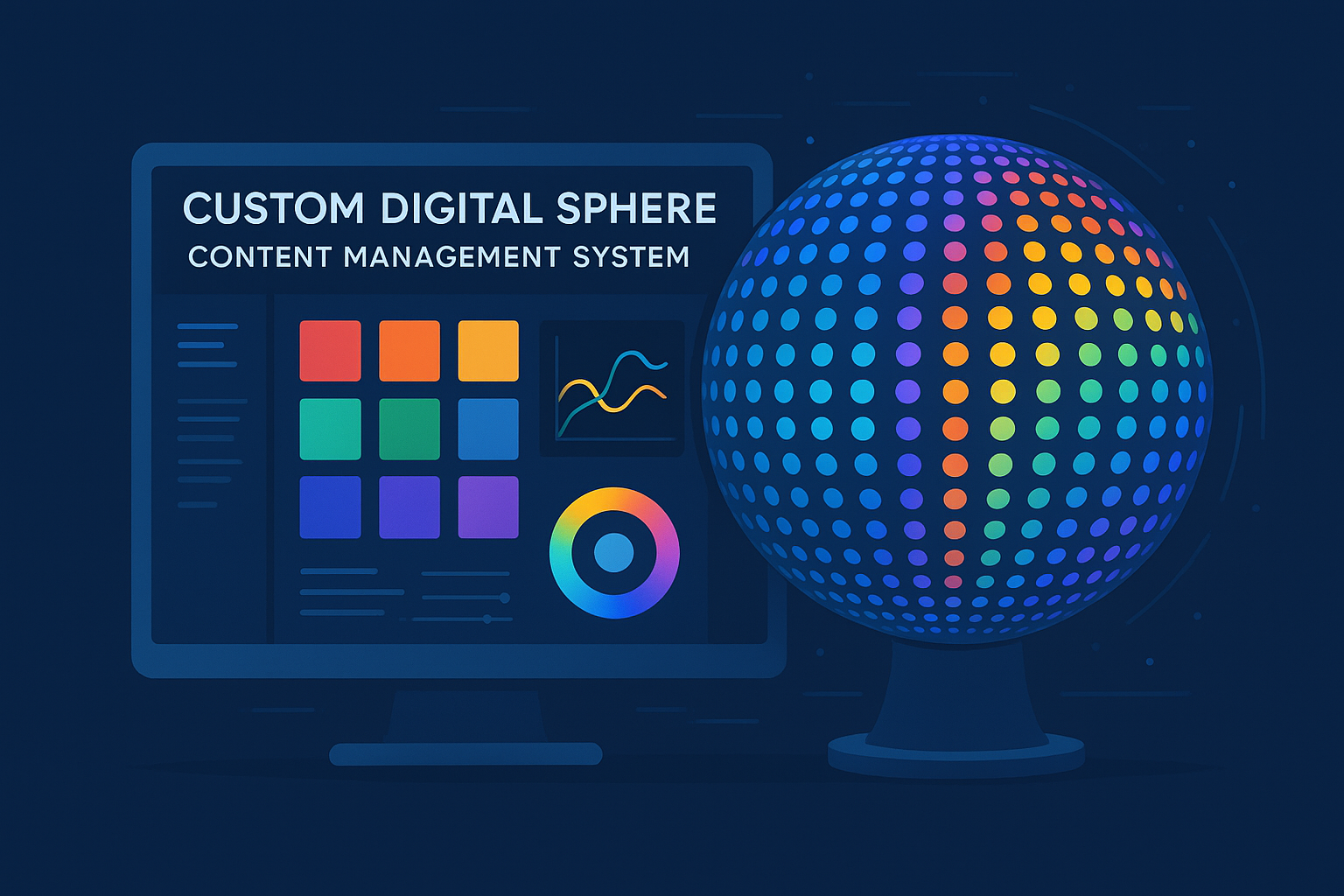
    Custom Digital Sphere Content Management System for Interactive LED Sphere Installation

    Unlocking Seamless Visualization: Digital Sphere Content Management Systems Explained

    In today’s era of immersive technology, Digital Sphere Content Management Systems (CMS) are transforming the way organizations engage, educate, and inspire through dynamic visual displays. At DigitalSphere.us, we specialize in advanced digital and LED sphere solutions powered by robust content management systems that enable effortless control and tailored storytelling for museums, science centers, educational institutions, and commercial environments alike.

    What Are Digital Sphere Content Management Systems?

    Digital Sphere Content Management Systems refer to software platforms specifically designed to manage, schedule, and display high-resolution content on spherical LED or projection-based displays. Unlike conventional flat or rectangular screens, digital spheres require specialized mapping and content synchronization to deliver a seamless, captivating viewer experience.

    Why Are Specialized CMS Necessary for Spheres?

    Spherical displays present unique challenges: content must be accurately wrapped and mapped, interactivity often needs to be multi-sensory, and users often demand real-time updates. A dedicated CMS supports these requirements, ensuring content remains visually stunning and precisely configured, whether for an interactive Earth sphere in a science museum or an LED sphere in a corporate lobby.

    Key Features of Advanced Digital Sphere CMS Solutions

    Modern content management systems for digital spheres offer a powerful combination of flexibility, scalability, and usability. Here are some standout features:

    • Intuitive Content Upload & Scheduling: Easily add new visual assets, schedule timed playlists, and automate rotations or updates.
    • Real-Time Interaction: Integrate touch screens, gesture controls, or remote interfaces for engaging visitor experiences.
    • Custom Mapping Tools: Align and wrap content seamlessly onto the sphere’s curved surface for flawless presentation.
    • Multi-Zone Management: Display different content in separate hemispheres or rotate displays based on user interaction.
    • Remote Access & Monitoring: Make changes and oversee system health from anywhere, improving efficiency for geographically distributed installations.
    • Compatibility: Support for various media formats, live feeds, and third-party integrations.

    Benefits of a Dedicated Digital Sphere CMS

    Adopting a purpose-built content management system for your digital or LED spheres unlocks several advantages:

    • Simplicity and Control: Update displays with a few clicks, empowering your staff to keep content fresh and relevant without complex technical skills.
    • Enhanced Engagement: Interactive features and high-impact visuals capture audiences, fostering deeper learning or memorable branding moments.
    • Centralized System: Manage multiple spheres across various locations from a single dashboard—ideal for multi-site educational and corporate deployments.
    • Increased Uptime: Proactive monitoring, automatic error detection, and remote troubleshooting minimize downtime and maintenance costs.

    How DigitalSphere.us Implements the Latest CMS Solutions

    At DigitalSphere.us, we deliver turnkey digital and LED sphere installations, equipped with advanced CMS technology that prioritizes customization and reliability. Our team collaborates closely with institutions to tailor the content delivery experience to specific goals, whether for:

    • Interactive Educational Spheres: Inspire STEM learning with real-time data feeds, hands-on controls, and multimedia content.
    • Event Rental Spheres: Ensure branded event visuals are updated quickly and securely for conferences, product launches, and pop-up experiences.
    • Museum Visualization Systems: Offer rich planetary data, climate simulations, or artistic animations managed through intuitive interfaces for both staff and visitors.

    All of our digital sphere solutions can be monitored, updated, and controlled remotely, empowering you to push new content on demand or schedule seasonal changes with ease. Learn more about our full suite of solutions at DigitalSphere.us services.

    Choosing the Right Digital Sphere Content Management System

    The decision to deploy a digital or LED sphere is a major investment. Ensuring your CMS suits your usage scenario will maximize your ROI and visitor satisfaction.

    Consider These Factors:

    • Display Type: Match the CMS capabilities to your hardware, whether projection-based, LED panel, or hybrid systems.
    • Interactivity Needs: Decide if you require touchscreen, gesture-based, or mobile app controls, and ensure the CMS supports your preferred modes.
    • Content Formats: Check for compatibility with images, videos, live streams, and custom apps, especially for STEM and Earth-focused applications.
    • User Roles & Access: Ensure you can set permissions for different team members to streamline operations and safeguard critical settings.
    • Reporting & Analytics: Advanced CMS platforms can provide visitor analytics, system logs, and even integrate with donor or grant reporting systems in educational or nonprofit contexts.
    • Support & Upgrades: Ongoing vendor support, regular updates, and a strong user community are vital for uninterrupted operation and new feature access.

    Top Applications for Digital Sphere Content Management Systems

    Education & Science Centers

    DigitalSphere.us partners with schools and museums to deploy interactive learning spheres that display dynamic planetary simulations, oceanography models, and climate change data in real-time. Our CMS platforms simplify curation and real-time updates, enabling educators to respond instantly to student curiosity or curriculum needs.

    Corporate Lobbies & Brand Activations

    Impress visitors, clients, and stakeholders with striking 360-degree messaging. Our LED spheres with CMS integration allow for scheduled brand stories, live social media feeds, and dynamic data visualizations, enhancing any premium corporate environment.

    Rental Spheres for Events

    Event planners love the flexibility and remote management offered by our digital sphere content systems. Instantly update event graphics, sponsor messages, or immersive environments, ensuring each event feels unique. Rental spheres controlled by a robust CMS are a smart investment for high-impact, short-term installations.

    Museum and Exhibit Visualization

    Enable captivating permanent or traveling exhibits with centralized content control. Adjust themes and visuals seasonally or for special events, enhancing visitor experiences without the need for costly on-site reprogramming.

    For even more inspiration, explore additional digital sphere applications and integration options with SSI Displays, a leader in immersive spherical display solutions.

    Frequently Asked Questions About Digital Sphere Content Management Systems

    How is a digital sphere CMS different from a regular digital signage CMS?
    While traditional signage CMS platforms manage flat screens, a digital sphere CMS is tailored for wraparound, spherical mapping, and interactive features unique to spherical displays.
    Can I update sphere content remotely?
    Yes! With DigitalSphere.us solutions, you can push new content, manage schedules, and monitor system status from anywhere through a secure web interface.
    Is it easy to integrate live data feeds?
    Absolutely. Many of our digital sphere CMS systems support live streams, RSS feeds, and API integrations—perfect for weather, news, science data, and more.
    Can the CMS be customized to my brand or institution?
    Yes. DigitalSphere.us works with clients to tailor the CMS interface, content templates, and user experience, ensuring your sphere reflects your vision and brand.
    Where can I find additional resources about digital and LED sphere technology?
    We recommend visiting our partners at SSI Displays for further articles and product overviews, as well as exploring all offerings at DigitalSphere.us.

    Conclusion: Elevate Your Experience with a Superior Digital Sphere Content Management System

    Digital Sphere Content Management Systems are the backbone of any advanced spherical display environment, enabling effortless curation, enhanced engagement, and streamlined operations. Whether you’re seeking to ignite curiosity in a classroom, dazzle guests in a corporate lobby, or deliver unforgettable event visuals, integrating the right CMS is essential for delivering maximum impact.

    Ready to Transform Your Space?

    Discover how DigitalSphere.us can deliver the perfect combination of innovative hardware and smart, user-friendly content management to unlock your display’s full potential. Contact our team today for a free consultation, and explore a world of immersive, interactive storytelling made simple!

  • Digital Sphere Networking Requirements: Ensuring Seamless Connectivity for Immersive Visual Displays

    Digital Sphere Networking Requirements: Ensuring Seamless Connectivity for Immersive Visual Displays

    Digital sphere networking setup in a premium commercial space with LED globe and seamless connectivity

    Digital Sphere Networking Requirements: Ensuring Seamless Connectivity for Immersive Visual Displays

    As immersive spherical displays become increasingly prevalent in museums, educational institutions, and event spaces, understanding digital sphere networking requirements is more important than ever. Whether you’re integrating LED spheres for stunning visual storytelling, deploying interactive educational globes for STEM learning, or installing a digital sphere display for a one-time event, a robust and reliable networking infrastructure is the backbone of every successful installation. At DigitalSphere.us, we specialize in providing custom digital sphere solutions tailored to meet your specific networking requirements and project goals.

    Why Networking Matters for Digital Spheres

    Seamless network connectivity enables centralized control, real-time content updates, interactive functionality, and multi-sphere synchronization. An inadequate network can cause lag, data loss, or incomplete media delivery, negatively impacting user experience and system reliability. For institutions looking to maximize the impact of their LED spheres—whether for permanent museum installations, educational exhibits, or high-profile events—getting the networking infrastructure right is essential.

    Key Digital Sphere Networking Requirements

    Each digital sphere system, from interactive displays to rental spheres, has unique networking considerations. Let’s explore the core requirements you need to address for a successful digital sphere installation.

    High-Speed Wired Connections

    For most large-scale digital spheres, especially those displaying high-resolution video or interactive media, a wired Ethernet (Cat6 or Cat7) network is recommended. High-speed connections reduce latency, support high bandwidth demands, and ensure data integrity for seamless playback.

    • Gigabit Ethernet is typically the minimum standard — vital for uninterrupted 4K or higher resolution content streams.
    • Redundant wiring and managed switches add resilience, reducing downtime and facilitating advanced control protocols.

    Wireless Networking for Flexibility

    Some environments, such as rental event spheres or modular educational displays, require wireless connectivity. In these cases, Wi-Fi 6 or above provides the robustness needed for remote updates and device communication. However, managing wireless interference and ensuring secure access (such as WPA3 encryption) is critical.

    Content Distribution and Synchronization

    Digital sphere installations may require synchronized playback across multiple displays or integration with existing AV networks. Technologies like RTP/RTSP streaming, multicast support, and accurate NTP time synchronization are necessary for video consistency across all spheres.

    Interactive Data Handling

    Interactive sphere displays—like those found in modern science centers—often depend on bidirectional data flow. This means ensuring bandwidth for both incoming user inputs and outgoing dynamic content, sometimes requiring dedicated VLANs or even custom API integrations.

    Remote Monitoring and Management

    A secure remote management solution allows administrators to update content, monitor system health, and troubleshoot issues from anywhere. VPN access or cloud-based dashboards are often recommended, with robust firewalls and regular security audits for protection.

    Best Practices for Digital Sphere Networking

    Whether for a museum visualization system or a portable rental sphere, follow these best practices:

    • Plan your network topology based on the number of spheres, required control points, and anticipated bandwidth usage.
    • Utilize quality network hardware (managed switches, routers, access points) rated for high throughput and uptime.
    • Segment networks for control, content, and user access to reduce congestion and improve security.
    • Test all connections thoroughly before public deployment to identify weak spots or bottlenecks.
    • Consult with integration experts—services like SSI Displays and DigitalSphere.us offer professional guidance in both hardware selection and network design.

    Common Networking Challenges and How to Overcome Them

    Bandwidth Limitations

    If your sphere is lagging or dropping frames, insufficient bandwidth is a common culprit. Invest in gigabit or multi-gigabit infrastructure and avoid connecting other high-traffic devices to the same network segment as your digital sphere.

    Wireless Interference

    For wireless installations, choose dedicated frequency bands and leverage mesh networking technologies to minimize dropouts. If reliability is paramount, prefer wired connections or bonded wireless solutions.

    Security Risks

    Unsecured spheres are vulnerable to unauthorized access or content tampering. Always use VLANs for traffic separation, enable WPA3 encryption, deploy strong passwords, and maintain rigorous software updates, ideally managed through a centralized platform.

    Multi-Sphere Synchronization

    When multiple spheres display synchronized content, time server mismatches or packet loss can cause misalignment. Implement robust NTP synchronization and adjust multicast settings for optimal packet delivery.

    Integrating Digital Spheres Into Existing Networks

    In installations where digital spheres need to coexist with large-scale AV systems or IT networks (as may be found in museums or corporate lobbies), coordinate with IT staff to ensure compatibility. Isolate high-bandwidth traffic, monitor for bottlenecks, and confirm firewall settings to allow necessary protocols.

    For advanced visualization systems, consider consulting with DigitalSphere.us educational sphere solutions or partner integrators like SSI Displays for best results.

    FAQ: Digital Sphere Networking Requirements

    What type of networking does a digital sphere require?

    Most permanent installations require high-speed wired Ethernet for reliable content delivery and control. For temporary or modular displays, robust Wi-Fi may be sufficient if security and bandwidth needs are met.

    Can I use Wi-Fi for interactive LED spheres?

    Yes, provided you use modern standards (Wi-Fi 6 or newer), ensure strong security, and manage potential interference. For critical or bandwidth-intensive displays, wired connections remain preferable.

    What protocols should I consider for content synchronization?

    Standard protocols include RTP/RTSP for high-quality streams, NTP for precise time sync, and multicast support for simultaneous updates across spheres.

    How can I remotely update content on my digital sphere?

    Set up secure VPN access or use a cloud-based management dashboard. Ensure remote tools are secured with firewalls, regular audits, and encrypted connections.

    Where can I get expert help for my networking setup?

    DigitalSphere.us and SSI Displays both offer expert consultation and customized digital sphere network integration services.

    Conclusion: Power Your Experience with the Right Digital Sphere Networking Requirements

    From immersive museum exhibits to STEM classroom globe displays and dynamic event rentals, every successful LED sphere relies on robust network infrastructure. Following best practices for digital sphere networking requirements ensures seamless operation, efficient content delivery, and an unforgettable user experience.

    For end-to-end solutions—covering custom hardware, advanced software integration, and professional-grade networking—trust DigitalSphere.us. Let us help you realize your vision and connect audiences with next-generation spherical display technology.

  • Understanding Digital Sphere Power Requirements: Essential Guide for Optimal Performance

    Understanding Digital Sphere Power Requirements: Essential Guide for Optimal Performance

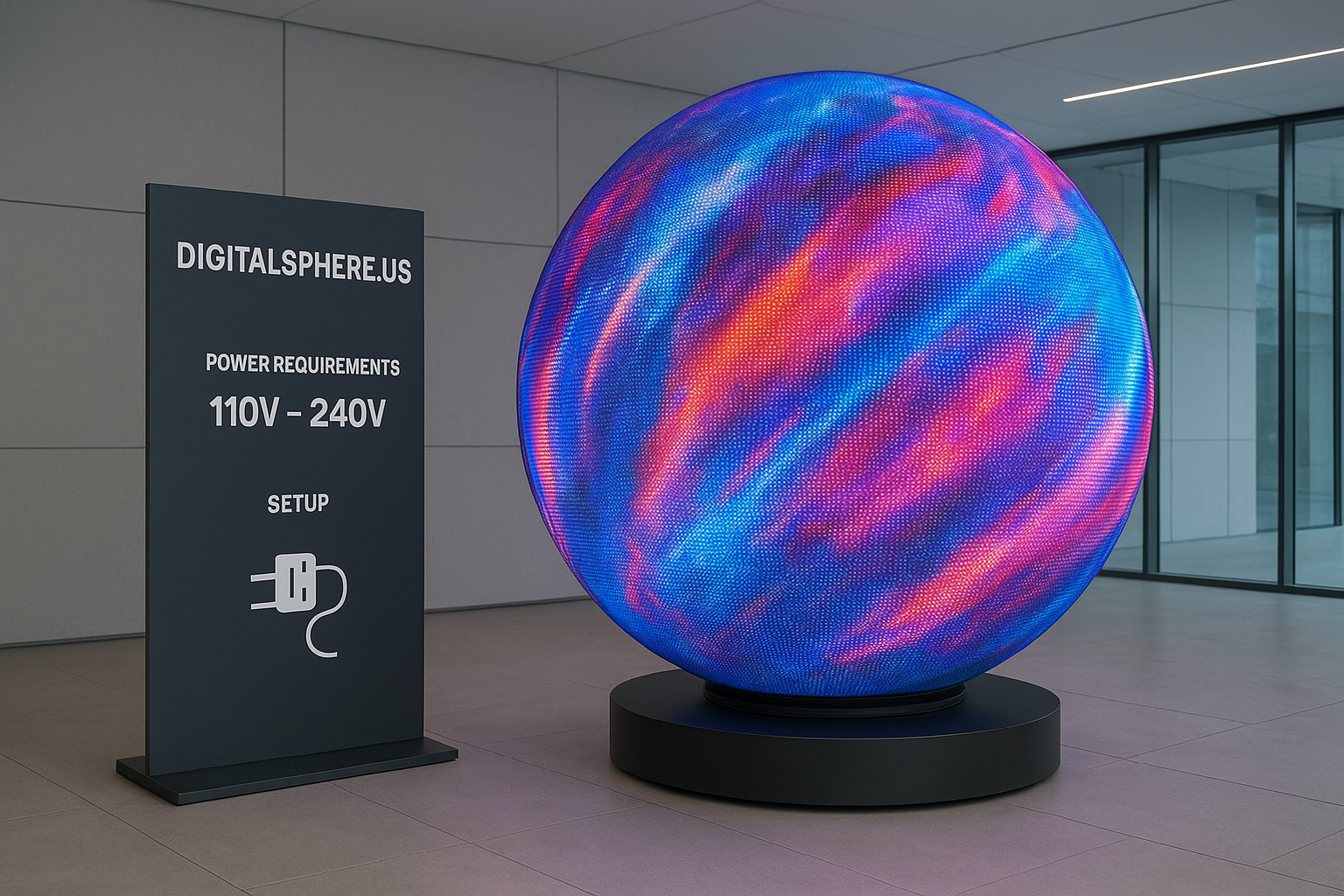
    Commercial Digital Sphere display installation showing LED Sphere in a modern space, emphasizing power requirements and setup with DigitalSphere.us branding.

    Digital Sphere Power Requirements: Essential Guide for Optimal Performance

    As digital technology continues to evolve, Digital Sphere Power Requirements are becoming a crucial consideration for museums, educational institutions, event organizers, and businesses utilizing immersive visualization. With modern digital and LED sphere displays such as those offered by DigitalSphere.us, understanding the electrical needs and installation best practices is central to achieving reliable, safe, and impressive spherical displays. In this comprehensive guide, we break down everything you need to know to power your digital sphere for both temporary installations and permanent venues.

    Why Understanding Digital Sphere Power Requirements Matters

    Digital spheres, LED spheres, and interactive globe displays offer unique, visual experiences. However, their complexity means that power requirements can vary significantly depending on size, technology, usage pattern, and installation environment. Ensuring the correct power supply is vital for:

    • Consistent performance and image quality
    • Safety for users and venue infrastructure
    • Long-term maintenance and system longevity
    • Meeting local electrical code compliance

    Both permanent and rental sphere options from DigitalSphere.us integrate advanced technology, making power planning central to your project’s success.

    Key Elements in Digital Sphere Power Requirements

    • Display Size and Resolution: Larger and higher resolution LED spheres require more power.
    • Display Technology: Choice between projection-based, direct-view LED, or hybrid solutions influences total consumption.
    • Interactivity Modules: Touch sensors, gesture interfaces, or integrated speakers add to power draw.
    • Control & Media Servers: Sophisticated visualization spheres require robust content processing and playback systems.
    • Environmental Considerations: Venues with variable temperatures or humidity may require auxiliary systems like climate control.

    Typical Power Consumption of Digital Spheres

    Understanding the average power draw of digital spheres helps in pre-planning your installation. While specifics vary by model, here are reference values based on industry standards and real-world installations:

    Small to Mid-Size LED Spheres (1m – 2m diameter)

    • Average Power: 400W – 1,200W
    • Peak Power (Full White, Max Brightness): 900W – 2,500W
    • Recommended Circuit: Dedicated 15-20A, 110-220V

    Large Event & Permanent Installation Spheres (2m – 6m diameter)

    • Average Power: 2,000W – 8,000W+
    • Peak Power: 4,000W – 16,000W+
    • Recommended Circuit: Dedicated 20-40A, 220-240V

    Additional equipment such as video processors, audio systems, and computers can add 10-30% to the total.

    Power Supply & Infrastructure Considerations

    Dedicated Circuits and Load Assessment

    For safe and effective operation, always install digital spheres on dedicated electrical circuits. Assess the Digital Sphere Power Requirements by:

    • Consulting sphere system documentation
    • Factoring in possible add-ons like touch panels or extra lighting
    • Allowing 20% headroom for peak operation

    UPS and Power Conditioning

    Uninterruptible Power Supply (UPS) systems help prevent abrupt shutdowns and protect sensitive digital sphere electronics during power fluctuations or outages. Likewise, quality surge protectors and power conditioners keep your investment safe in environments with unstable voltage.

    Best Practices for Digital Sphere Power Planning

    1. Early Electrical Planning

    Coordinate with electrical engineers, facility managers, and technology providers as early as possible. Share official power specs, often included with display purchase or rental from providers such as DigitalSphere.us.

    2. Compliance with Local Codes

    Work with local licensed electricians to ensure installations meet regulatory and safety codes – especially important for public venues.

    3. Redundancy & Safety Features

    Consider dual feeds, emergency disconnects, and remote shut-off capabilities for mission-critical installations.

    Case Study: Museum Earth Sphere Installation

    For a recent natural history museum installation, a 3-meter LED Earth sphere from DigitalSphere.us was specified. The display required:

    • Total system power: 4,200W (average), 7,500W (peak)
    • Dedicated 30A, 240V line
    • Integrated control server adding 350W
    • Overhead cable routing and surge-protected power distribution

    Through advance planning and professional installation, the project exceeded reliability and safety standards, providing round-the-clock educational visualization to thousands of visitors.

    Comparing Digital Sphere Power Requirements to Other Display Technologies

    When compared to large flat panel video walls or projection domes, LED spheres typically offer:

    • Similar or slightly higher power consumption per square meter of active display area
    • Greater emphasis on dedicated infrastructure because of 360-degree visibility
    • Superior energy efficiency at modern high-brightness LED densities vs. legacy projection systems

    For a deep dive into large format digital display solutions and their power demands, see additional resources at SSIDisplays.com.

    Solutions from DigitalSphere.us

    From compact, portable STEM learning globes to room-dominating museum installations, DigitalSphere.us offers both standard and custom engineered spheres. Each solution comes with:

    • Detailed power requirement documentation
    • Installation support and site consulting
    • Built-in electrical safety features
    • Optional rental packages with pre-configured power kits

    These comprehensive services ensure that customers avoid costly mistakes – whether at a temporary trade show booth or a state-of-the-art science center.

    Digital Sphere Power Requirements: Frequently Asked Questions

    How much power does a typical digital sphere require?

    Most digital spheres for commercial or museum use consume between 400W and 8,000W, depending on size and brightness. Always refer to the manufacturer’s documentation for the precise specification.

    Can I run a digital sphere on a standard wall outlet?

    Smaller digital and LED spheres (under 2m diameter) may run on a single 15-20A outlet, but larger installations require dedicated circuits, typically 220-240V. Always check the official requirements in your installation manual.

    What safety precautions should I take when installing an LED sphere?

    Work with licensed electricians, use surge protection, ensure access to emergency shut-off, and follow all local electrical codes. Consult providers like DigitalSphere.us for best practices and installation support.

    Conclusion: Powering Your Digital Sphere for Maximum Impact

    Whether you’re integrating a digital sphere into a new science center, renting an interactive sphere for a corporate event, or installing a permanent LED visualization globe, understanding and planning for Digital Sphere Power Requirements is non-negotiable. Thoughtful infrastructure design ensures smooth operation, visitor safety, and stunning immersive visuals for years to come.

    For tailored advice and end-to-end solutions, contact DigitalSphere.us. Our experts help you choose the right sphere, specify exact power and installation needs, and deliver successful, powerful digital experiences for any venue or event.

  • Digital Sphere Safety Considerations: Ensuring Secure and Reliable Immersive Experiences

    Digital Sphere Safety Considerations: Ensuring Secure and Reliable Immersive Experiences

    Commercial digital sphere display in a premium space demonstrating safe installation and secure immersive experience

    Digital Sphere Safety Considerations: Ensuring Secure and Reliable Immersive Experiences

    As immersive technologies become pivotal in transforming educational, entertainment, and commercial environments, understanding Digital Sphere Safety Considerations becomes essential. Whether installed in museums, science centers, classrooms, or used at events for captivating visual storytelling, digital and LED sphere displays must prioritize user safety alongside visual impact. At DigitalSphere.us, we not only design stunning spherical displays but also ensure every installation meets the most rigorous safety standards.

    The Importance of Digital Sphere Safety Considerations

    When planning an immersive visualization solution, the excitement for dazzling content and state-of-the-art displays should be balanced with a thoughtful approach to safety. From structural engineering to electrical compliance and user interaction, every detail counts. Overlooking safety can lead to risk of injury, equipment damage, or even legal liabilities. That’s why, at DigitalSphere.us, our turnkey LED sphere solutions are engineered with safety and reliability as top priorities.

    Structural and Installation Safety

    Engineering for Secure Mounting

    Digital spheres, especially those sized for commercial or educational environments, are often suspended or mounted in areas with significant foot traffic. The Digital Sphere Safety Considerations here include:

    • Load-bearing calculations to ensure the supporting structure can handle the full weight of the sphere.
    • Utilizing secure, certified mountings and brackets.
    • Conducting professional installation by experienced technicians, such as the DigitalSphere.us team.

    Placement and Accessibility

    During space planning, it is vital to ensure that the digital sphere:

    • Does not obstruct emergency exits or pathways.
    • Is positioned at an appropriate height to avoid head injury risks.
    • Is safeguarded from accidental impacts (e.g., with clear signposting or subtle barricades).

    Electrical and Fire Safety Measures

    Compliant Electrical Systems

    Digital and LED spheres rely on high-efficiency electrical systems. Safety considerations include:

    • UL-certified power supplies and compliant cabling to prevent overheating or electrical faults.
    • Proper cable management to avoid tripping hazards.
    • Integration with surge protection and circuit breakers.

    Fire Safety and Material Choices

    As digital spheres combine electronics with innovative materials, it’s crucial to use fire-retardant materials and robust fabrication processes. Trusted providers like SSI Displays are industry leaders in manufacturing safe, commercial-grade visual display technologies—a principle shared by DigitalSphere.us in all project deliveries.

    Interactive Sphere Display Safety

    Touch and Gesture Interactivity

    Modern educational and event spheres often include touch interfaces or gesture controls. Safety best practices encompass:

    • Designing ergonomic access points and user interfaces at safe heights and distances.
    • Limiting the strength of moving parts or haptic feedback mechanisms.
    • Maintaining rounded, smooth edges to reduce injury risk.

    Software and Content Safety

    Aside from physical considerations, digital content should avoid epilepsy triggers and must be ADA-compliant for accessibility. DigitalSphere.us offers consultation to help you create safe, inclusive digital sphere experiences.

    Safety Protocols for Sphere Rentals and Temporary Installations

    Event and Exhibition Considerations

    Rental spheres are increasingly popular for conventions, expos, and traveling exhibits. These setups bring unique safety challenges:

    • Rapid but thorough site assessments before every event.
    • Robust transport cases and protection during setup and takedown.
    • On-site supervision throughout use to address any arising issues.

    Our DigitalSphere.us rental sphere solutions always come with expert installation and support to safeguard visitors and operators alike.

    Ongoing Maintenance and Safety Checks

    Routine Inspections

    Ongoing safety is achieved through:

    • Regular scheduled inspections to check for wear, electrical issues, or misalignment.
    • Prompt replacement of worn parts or updating safety signage as needed.
    • Professional cleaning routines to maintain both hygiene and performance.

    Choosing a Trusted Digital Sphere Provider

    Reputable partners like SSI Displays and DigitalSphere.us adhere to the highest safety and engineering standards. When selecting a digital sphere vendor, always confirm:

    • Provision of full documentation and safety certifications.
    • Custom safety training for your facility’s staff.
    • Clear lifetime or long-term support agreements.

    FAQ: Digital Sphere Safety Considerations

    Are Digital Spheres safe for children and public spaces?

    Yes—when installed by experienced professionals using certified materials. DigitalSphere.us places special emphasis on reinforcing structural stability and furnishing padded barriers where necessary in venues frequented by children.

    What safety certifications should I look for?

    Look for UL or CE certifications for electrical components and proper structural engineering certification for mounts. Always request safety documentation from your provider.

    How do you prevent digital sphere displays from overheating?

    Quality digital spheres utilize efficient LED components, proper ventilation, and integrated thermal monitoring to prevent overheating. Regular maintenance and monitoring are part of the DigitalSphere.us service package.

    Can rental sphere displays be installed safely at temporary venues?

    Absolutely! DigitalSphere.us uses modular, rapid-deploy safety mountings and provides trained staff to ensure secure setup, operation, and dismantling at every event site.

    Conclusion

    Prioritizing Digital Sphere Safety Considerations is paramount across every setting—from permanent museum displays to temporary event rentals. By engaging professionals committed to rigorous safety standards, like DigitalSphere.us, you protect your visitors, staff, and investment while delivering unforgettable immersive experiences.

    Take the Next Step Toward a Safe, Inspiring Display

    If you’re considering a digital sphere installation for your venue or event, let safety guide your choice. Contact DigitalSphere.us today for custom solutions, expert guidance, and peace of mind. Explore our comprehensive range of educational spheres, LED display spheres, and event rental options—engineered for impact and built for safety.